86
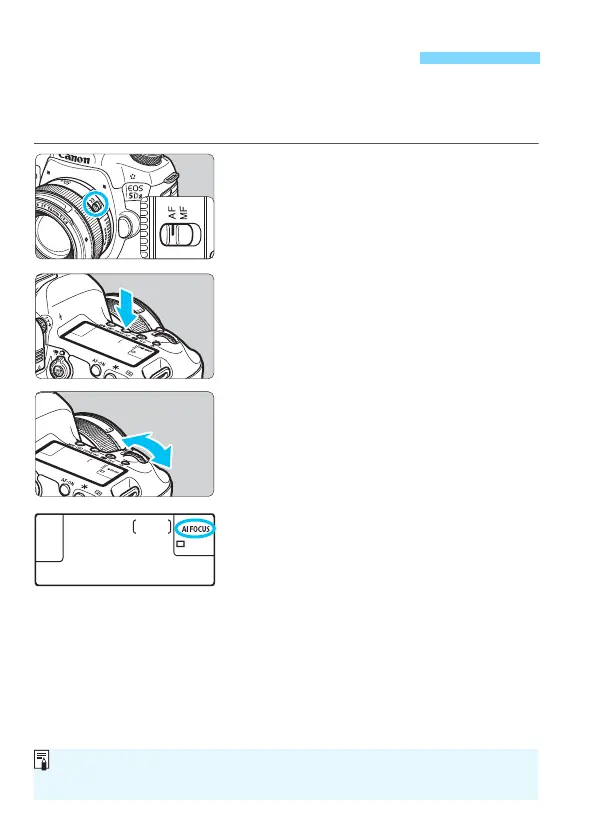
You can select the AF operation characteristics to suit the shooting
conditions or subject. In the <A> mode, “AI Focus AF” is set
automatically.
1
Set the lens’s focus mode switch
to <AF>.
2
Set the <d> <s> <f> <a>
<F> mode.
3
Press the <o> button. (9)
4
Select the AF operation.
While looking at the LCD panel or in
the viewfinder, turn the <6> dial.
X : One-Shot AF
9 : AI Focus AF
Z : AI Servo AF
f: Selecting the AF OperationN
In the <d>, <s>, <f>, <a>, or <F> mode, AF is also possible by
pressing the <p> button.






 To Next Page