334
You can protect important images from being accidentally erased by the
camera’s erase function.
1
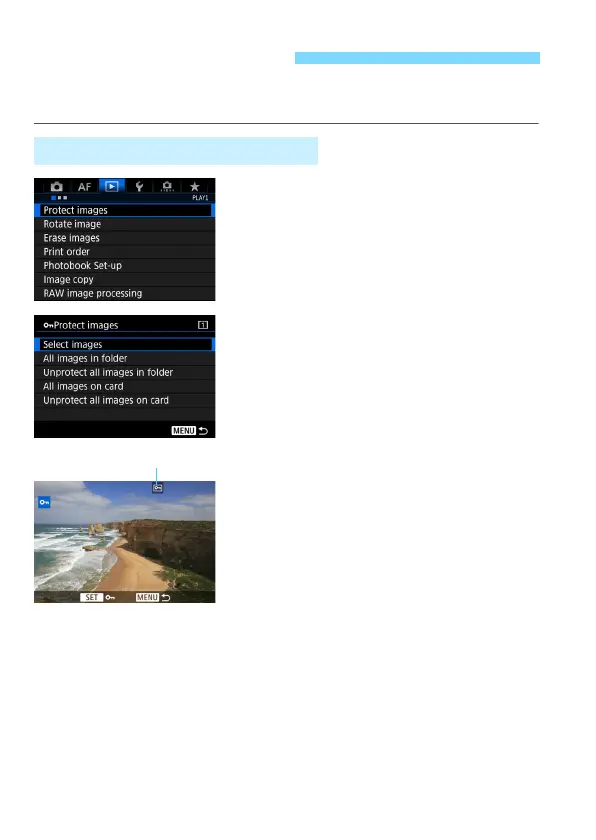
Select [Protect images].
Under the [31] tab, select [Protect
images], then press <0>.
2
Select [Select images].
X An image will be displayed.
3
Select an image.
Turn the <5> dial to select the
image to be protected.
You can also select an image or
movie on the index display (p.327).
4
Protect the image.
Press <0> to protect the selected
image. The <K> icon will appear at
the top of the screen.
To cancel the image protection, press
<0> again. The <K> icon will
disappear.
To protect another image, repeat
steps 3 and 4.
K Protecting Images
3 Protecting a Single Image













 To Next Page