154
Normally, images are recorded at the sensor size of approx. 36.0 mm x
24.0 mm (full-frame shooting). You can record only the center of the
image magnified approx. 1.3x (equivalent to APS-H size) or approx.
1.6x (equivalent to APS-C size) as if you were using a telephoto lens
(crop shooting) or set the desired aspect ratio before you shoot.
1
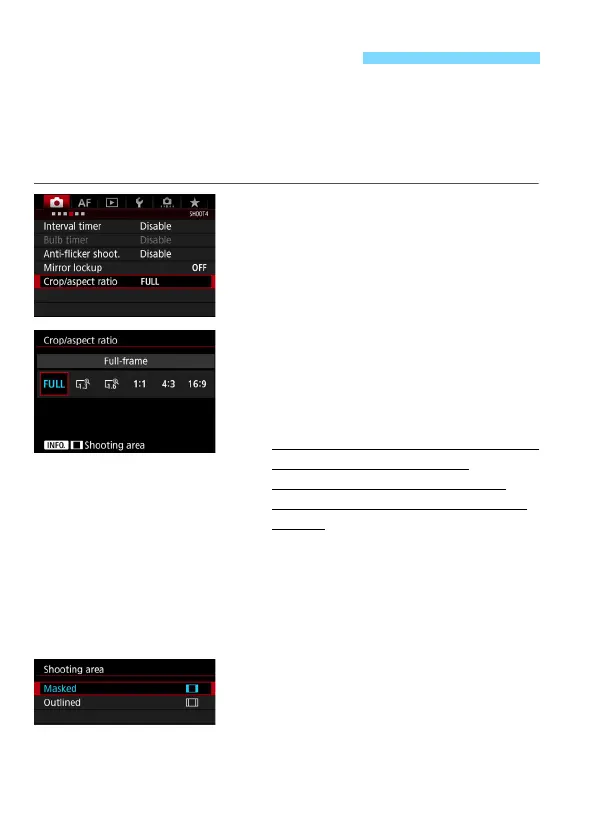
Select [Crop/aspect ratio].
Under the [z4] tab, select [Crop/
aspect ratio], then press <0>.
2
Select the desired setting.
Viewfinder shooting
Select any of the following: [Full-
frame], [1.3x (crop)], [1.6x (crop)], or
[1:1 (aspect ratio)].
If you set [
4:3 (aspect ratio)] or [16:9
(aspect ratio)] and use the
viewfinder to shoot, the shooting
result will be the same as with [Full-
frame].
Live View shooting (p.256)
You can select any setting.
If you will not change the shooting
area display, press <0> and go to
step 4.
3
Select the shooting area display.
With the screen in step 2 displayed,
press the <B> button.
Select either [Masked] or [Outlined],
then press <0>.
Setting Crop/Aspect RatioN













 To Next Page