6
Quick Start Guide
1
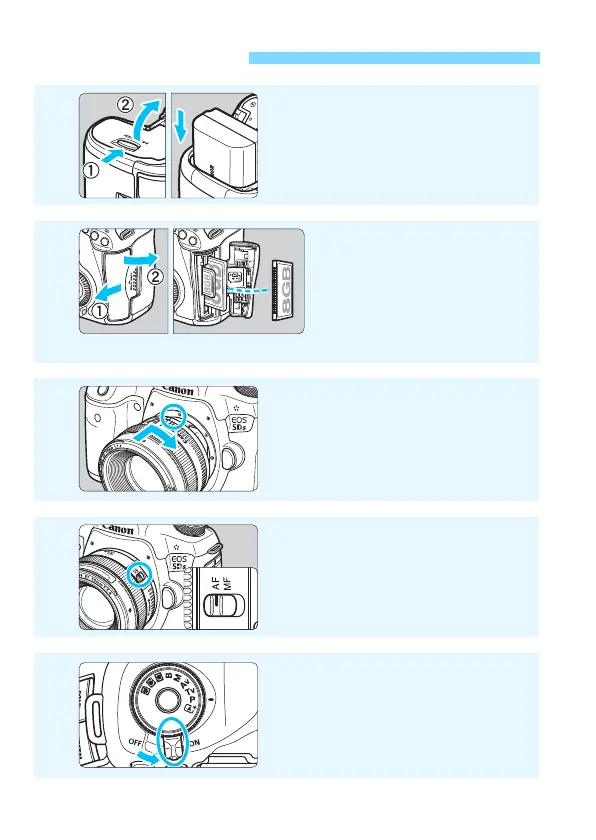
Insert the battery (p.42).
To charge the battery, see page 40.
2
Insert the card (p.43).
The camera-front side slot is
for a CF card, and the
camera-back side slot is for
an SD card.
* Shooting is possible with either a CF card or an SD card in the camera.
3
Attach the lens (p.52).
Align it with the red dot.
4
Set the lens’s focus mode
switch to <f> (p.52).
5
Set the power switch to <1>
(p.47)
.













 To Next Page