P Multiple ExposuresN
228
6
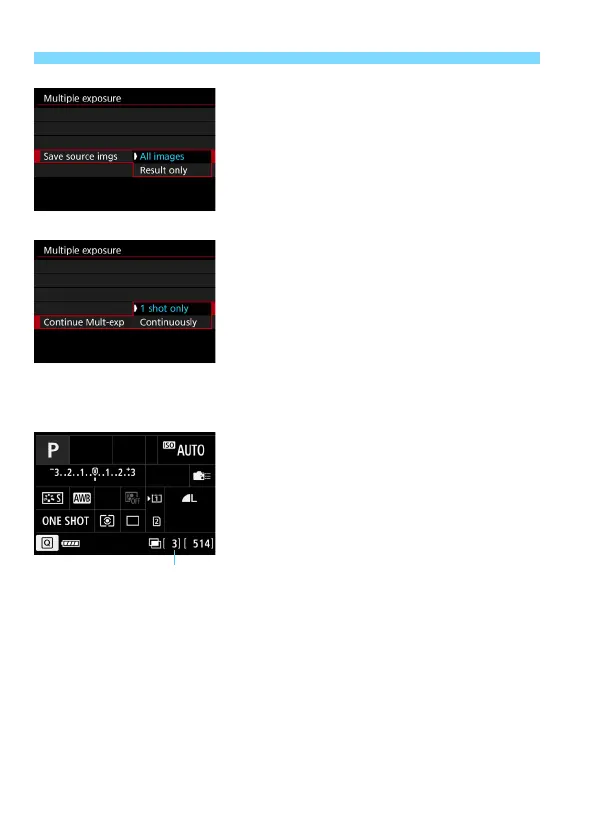
Set the images to be saved.
To save all the single exposures and
the merged multiple-exposure image,
select [All images], then press <0>.
To save only the merged multiple-
exposure image, select [Result
only], then press <0>.
7
Set [Continue Mult-exp].
Select either [1 shot only] or
[Continuously], then press <0>.
With [1 shot only], multiple-exposure
shooting will be canceled
automatically after the shooting ends.
With [Continuously], multiple-
exposure shooting continues until the
setting in step 3 is set to [Disable].
8
Take the first exposure.
X When [On:Func/Ctrl] is set, the
captured image will be displayed.
X The <P> icon will blink.
The number of remaining exposures
is displayed in brackets [ ] in the
viewfinder or on the screen.
Pressing the <x> button enables
you to view the captured image
(p.232).
Remaining number of exposures













 To Next Page