3 Checking the Battery Information
448
It is convenient to label each registered Battery Pack LP-E6N/LP-E6
with their serial numbers, using commercially-available labels.
1
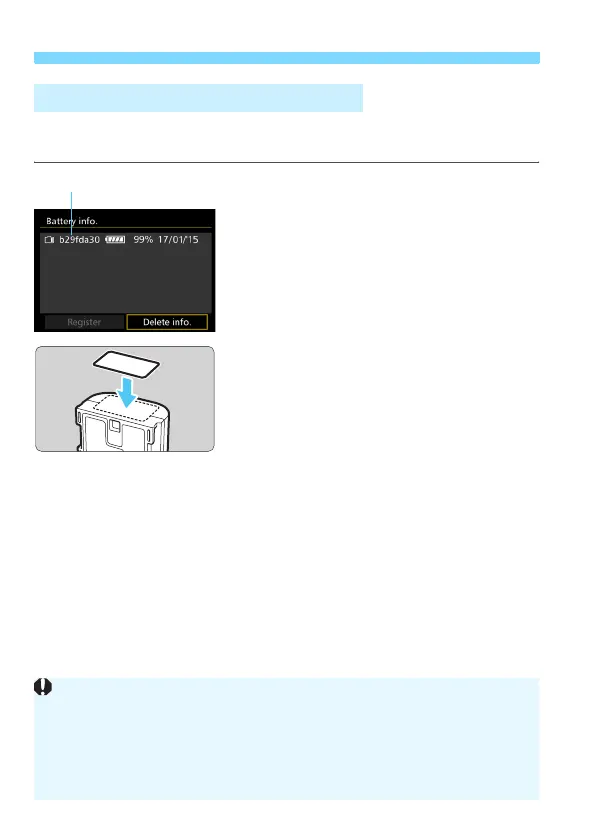
Write the serial number on a
label.
Write the serial number displayed on
the battery history screen on a label
approx. 25 mm x 15 mm / 1.0 in. x 0.6
in. in size.
2
Remove the battery and affix the
label.
Set the power switch to <2>.
Open the battery compartment cover
and remove the battery.
Affix the label as shown in the
illustration (on the side with no
electrical contacts).
Repeat this procedure for all of your
batteries so you can easily see the
serial number.
Labeling Serial Numbers on Batteries
Serial number
b29fda30
Do not affix the label on any part other than as shown in the illustration in
step 2. Otherwise, the misplaced label may make it difficult to insert the
battery or impossible to turn on the camera.
If you use Battery Grip BG-E11 (sold separately), the label may peel off
as you repeatedly insert and remove the battery. If it peels off, affix a new
label.













 To Next Page