65
3 Menu Operations
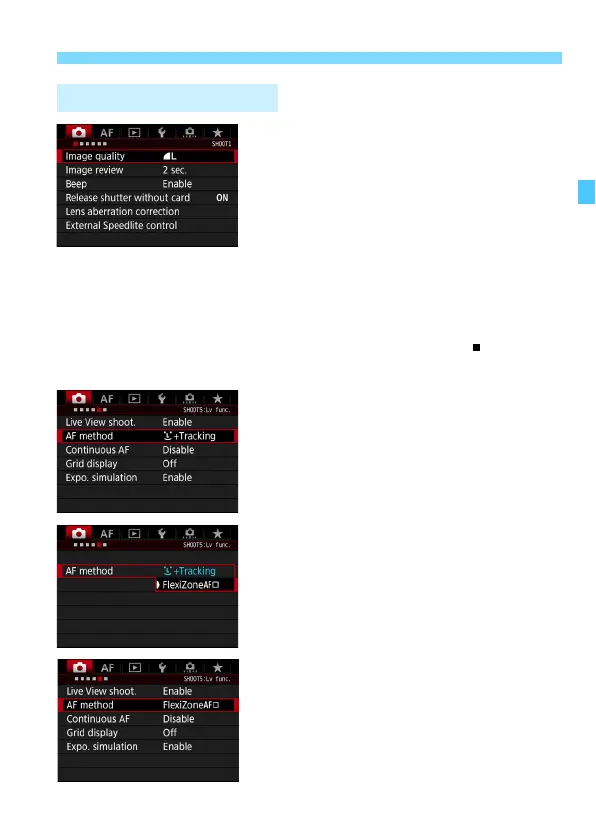
1
Display the menu screen.
Press the <M> button to display
the menu screen.
2
Select a tab.
Each time you press the <Q> button,
the main tab will switch.
Turn the <6> dial to select a
secondary tab.
For example, the [z5] tab refers to
the screen displayed when the z
(Shooting) tab’s fifth dot “ ” from the
left is selected.
3
Select the desired item.
Turn the <5> dial to select the item,
then press <0>.
4
Select the setting.
Turn the <5> dial to select the
desired setting.
The current setting is indicated in
blue.
5
Adjust the setting.
Press <0> to set it.
6
Exit the setting.
Press the <M> button to exit the
menu and return to shooting-ready.
Menu Setting Procedure













 To Next Page