10
Quick Start Guide
1
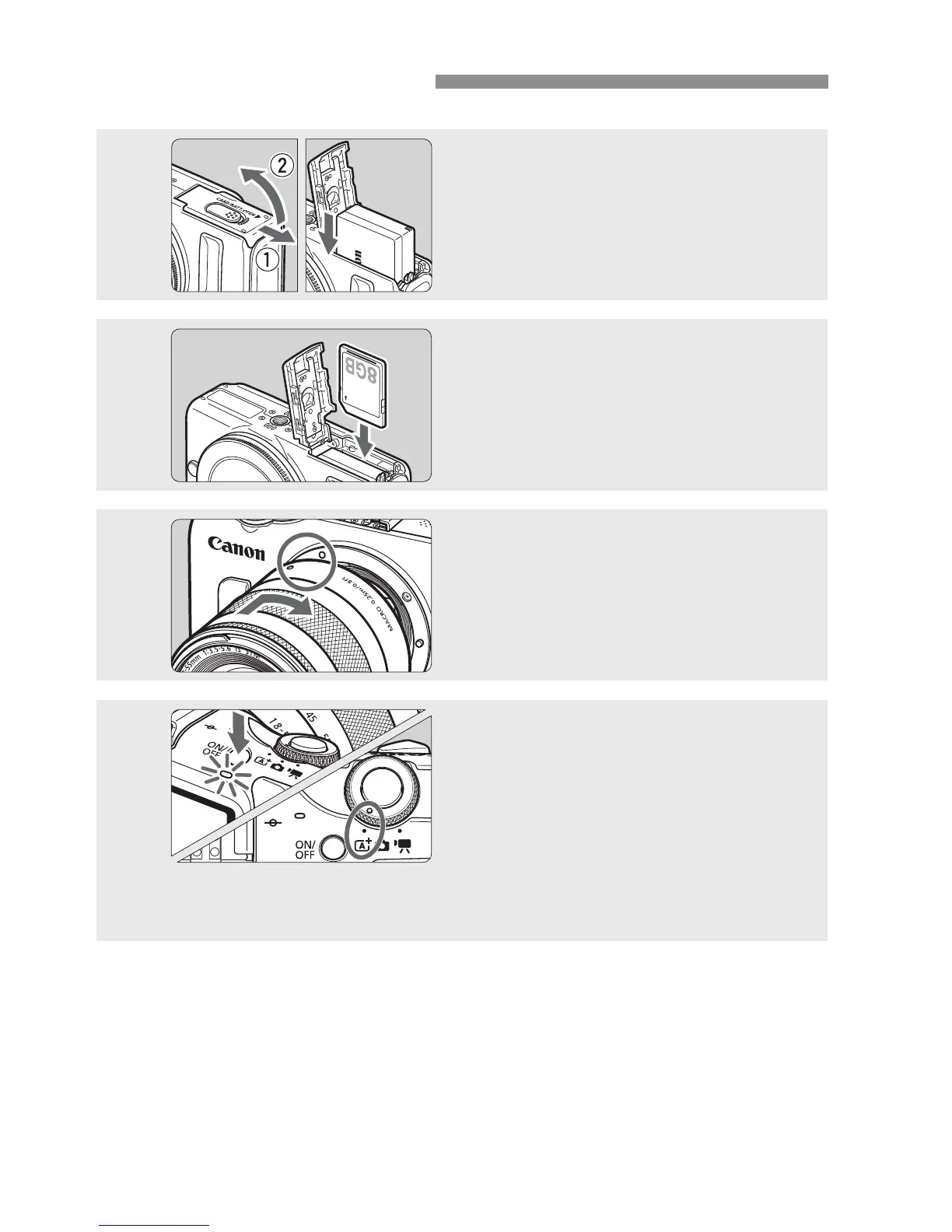
Insert the battery (p.22).
Charging the battery: p.20
2
Insert a card (p.22).
With the card’s label facing toward
the front of the camera, insert it into
the card slot.
3
Attach the lens (p.30).
Align the lens’ index with the
camera’s index.
4
Press the power button to turn on
the camera, and set <A> (Scene
Intelligent Auto) (p.48).
All the necessary camera settings will
be set automatically.
When the LCD monitor displays the
time zone or date/time setting screen,
see page 27.


 To Next Page