260
You can apply Creative filters even during image playback. An image
applied with a Creative filter during playback can be saved as a new
image, leaving the original image intact.
You can use the same Creative filters that are available during shooting
(p.94).
You can also apply Creative filters with the Q Quick Control screen.
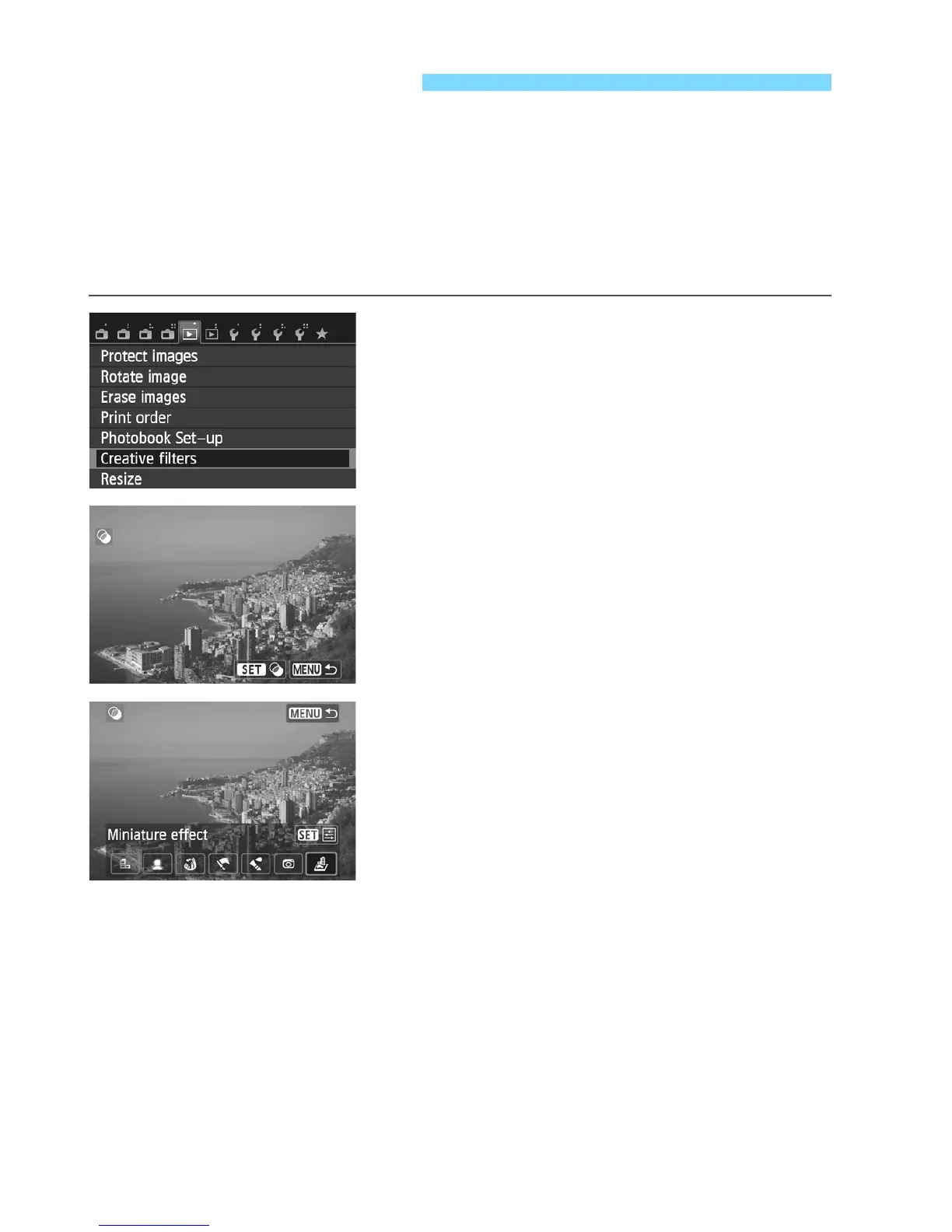
1
Select [Creative filters].
Under the [x1] tab, select [Creative
filters], then press <Q/0>.
X The images will be displayed.
2
Select an image.
Select the image you want to apply a
filter to.
You can also select an image on the
index display.
3
Select a filter.
When you press <Q/0>, the
types of Creative filters will be
displayed.
For details on Creative filter
characteristics, see pages 96, 97.
Press the <YA>/<ZO> button to
select a Creative filter, then press
<Q/0>.
X The image will be displayed with the
corresponding filter applied.
U Creative Filters



 To Next Page