234
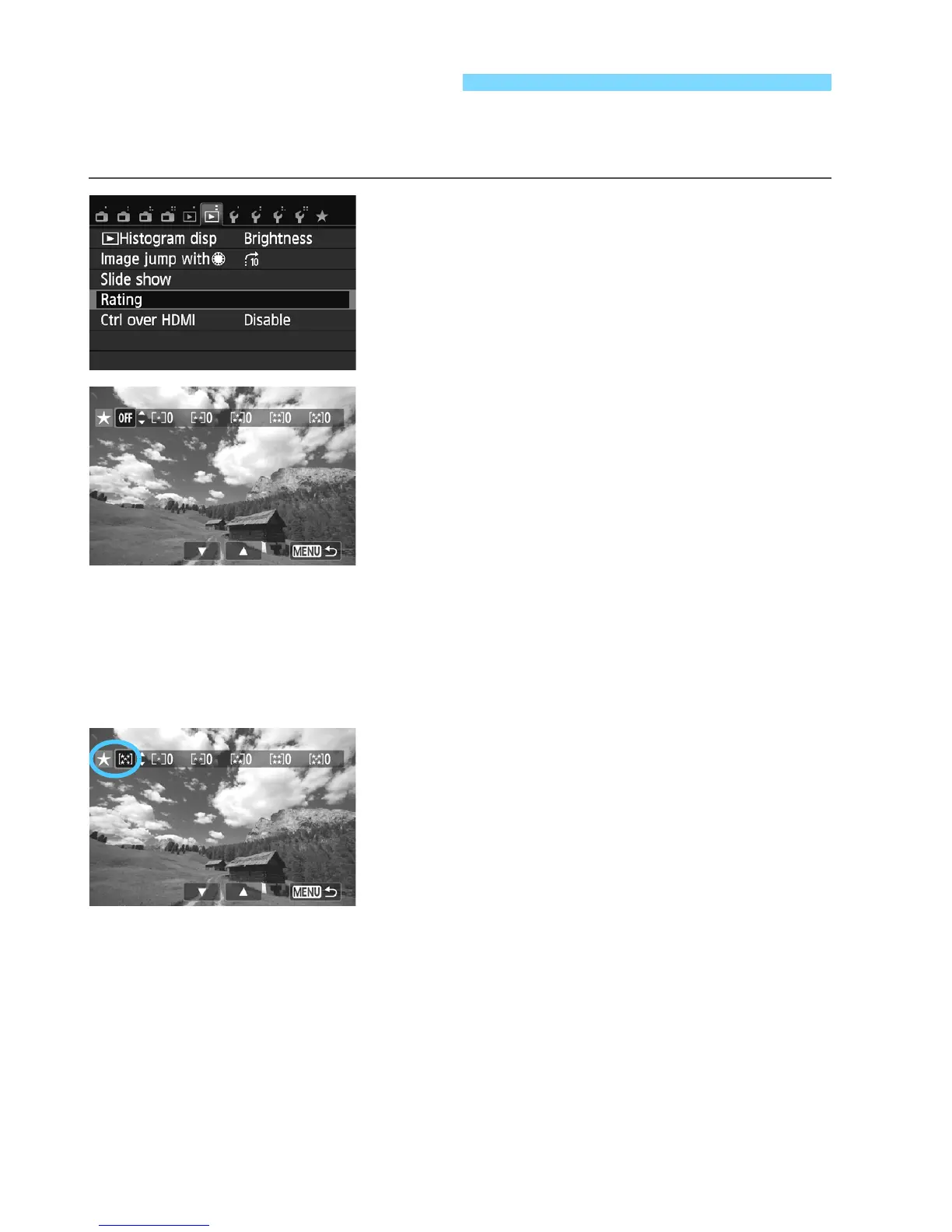
You can rate images and movies with one of five rating marks: l/m/
n/o/p. This function is called rating.
1
Select [Rating].
Under the [x2] tab, select [Rating],
then press <Q/0>.
2
Select an image.
Press the <YA>/<ZO> button to
select an image or movie to be rated.
By touching the LCD monitor with two
fingers spread apart and then
pinching the fingers, a three-image
display will appear. You can then
select images. To return to the single-
image display, touch the LCD monitor
with two pinched fingers, then spread
the fingers apart on the screen.
3
Rate the image or movie.
Press the <Wj/i>/<XL> button
to select a rating.
X The total number of images and
movies rated will be counted for each
rating.
To rate another image or movie,
repeat steps 2 and 3.
Press the <M> button to return to
the menu.
3 Setting Ratings



 To Next Page