47
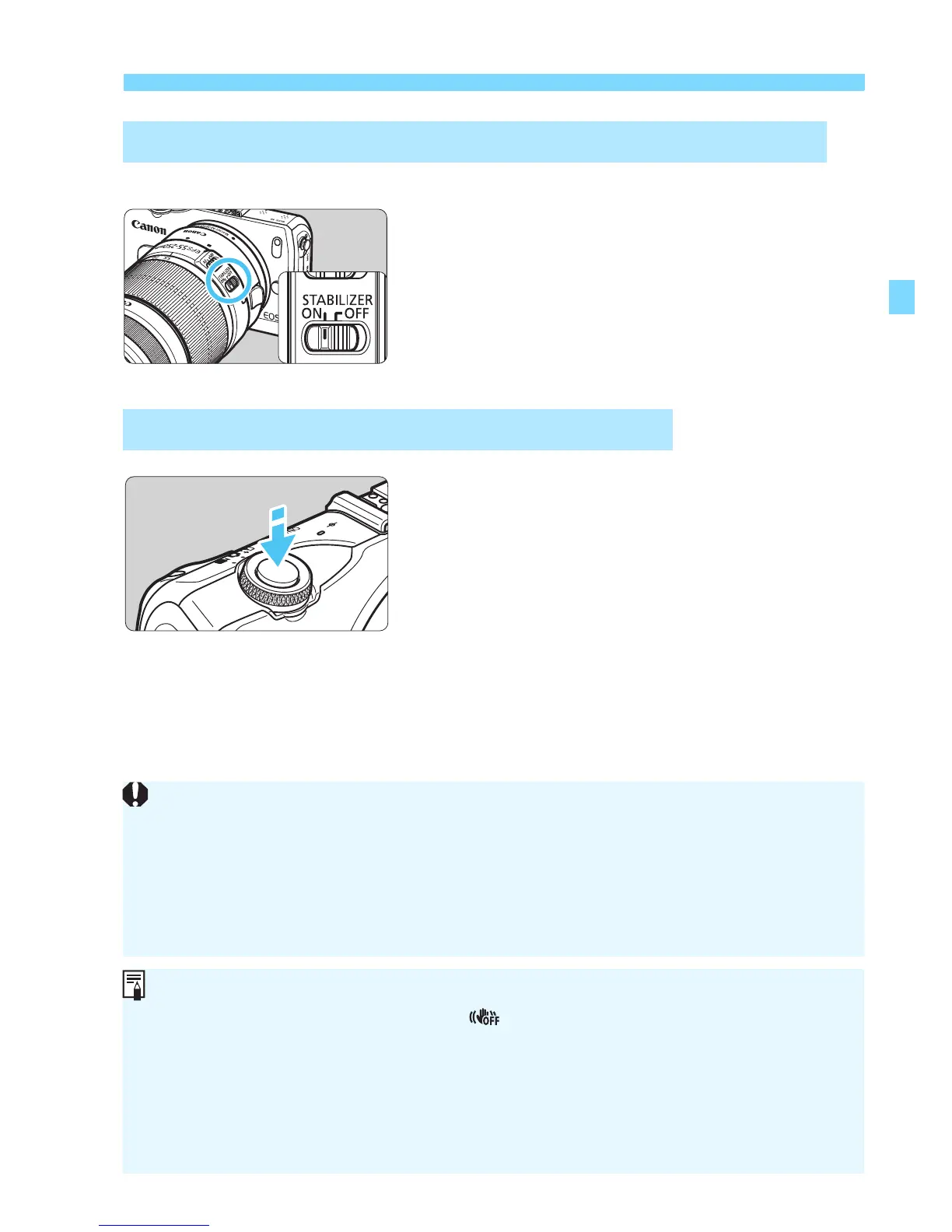
About the Lens Image Stabilizer
Use the IS switch on the lens.
Set the STABILIZER switch to
<1>.
1
Press the shutter button halfway.
X The Image Stabilizer will operate.
2
Take the picture.
When the picture looks steady on the
LCD monitor, press the shutter button
completely to take the picture.
With Lenses other than EF-M (Equipped with a Switch)
Using the Image Stabilizer when Shooting
The Image Stabilizer cannot correct “subject blur”, when the subject
moves at the time of exposure.
For bulb exposures, set the IS to <2>. If <1> is set, Image
Stabilizer incorrect operation may occur.
The Image Stabilizer may not be effective for excessive shaking such as
on a rocking boat.
The Image Stabilizer works in all focus modes.
When the IS is set to <2>, will appear on the screen.
When using a tripod, you can still shoot with he IS set to <1> wi h no
problem. However, to save battery power, setting the IS to <2> is
recommended.
The Image Stabilizer is effective even when the camera is mounted on a
monopod.



 To Next Page