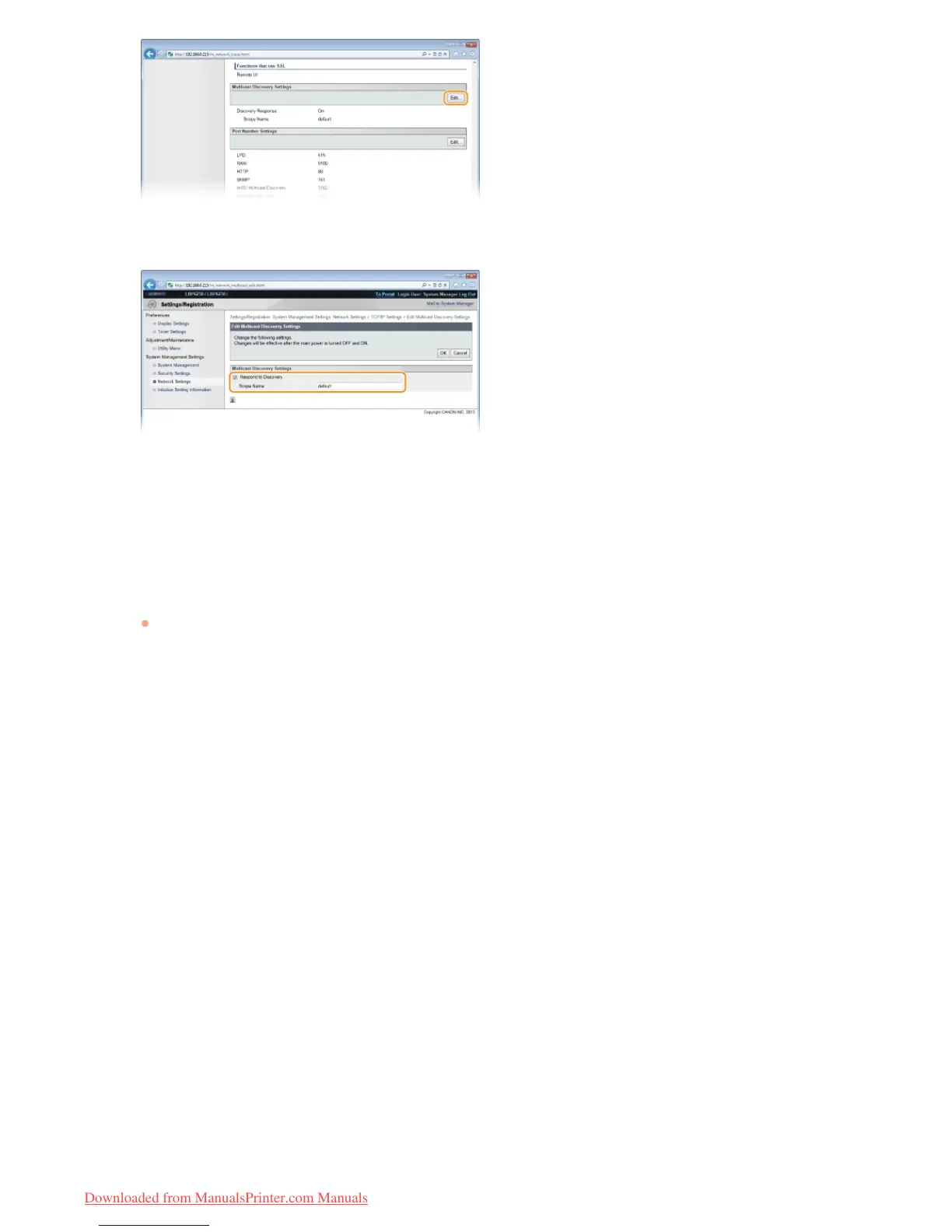
Select the [Respond to Discovery] check box and enter the required information.
[Respond to Discovery]
Select the check box to set the machine to respond to imageWARE multicast discovery packets and enable management by
imageWARE. If you do not want to respond, clear the check box.
[Scope Name]
To include the machine in a specific scope, enter up to 32 alphanumeric characters for the scope name.
Click [OK].
Restart the machine.
Turn OFF the machine, wait for at least 10 seconds, and turn it back ON.
5
6
7
㻝㻝㻡㻌㻛㻌㻞㻠㻜
Downloaded from ManualsPrinter.com Manuals












 To Next Page