0JFC-03L
How to Replace Toner Cartridges
Before replacing a toner cartridge, read the precautions in Maintenance and Inspections and Consumables.
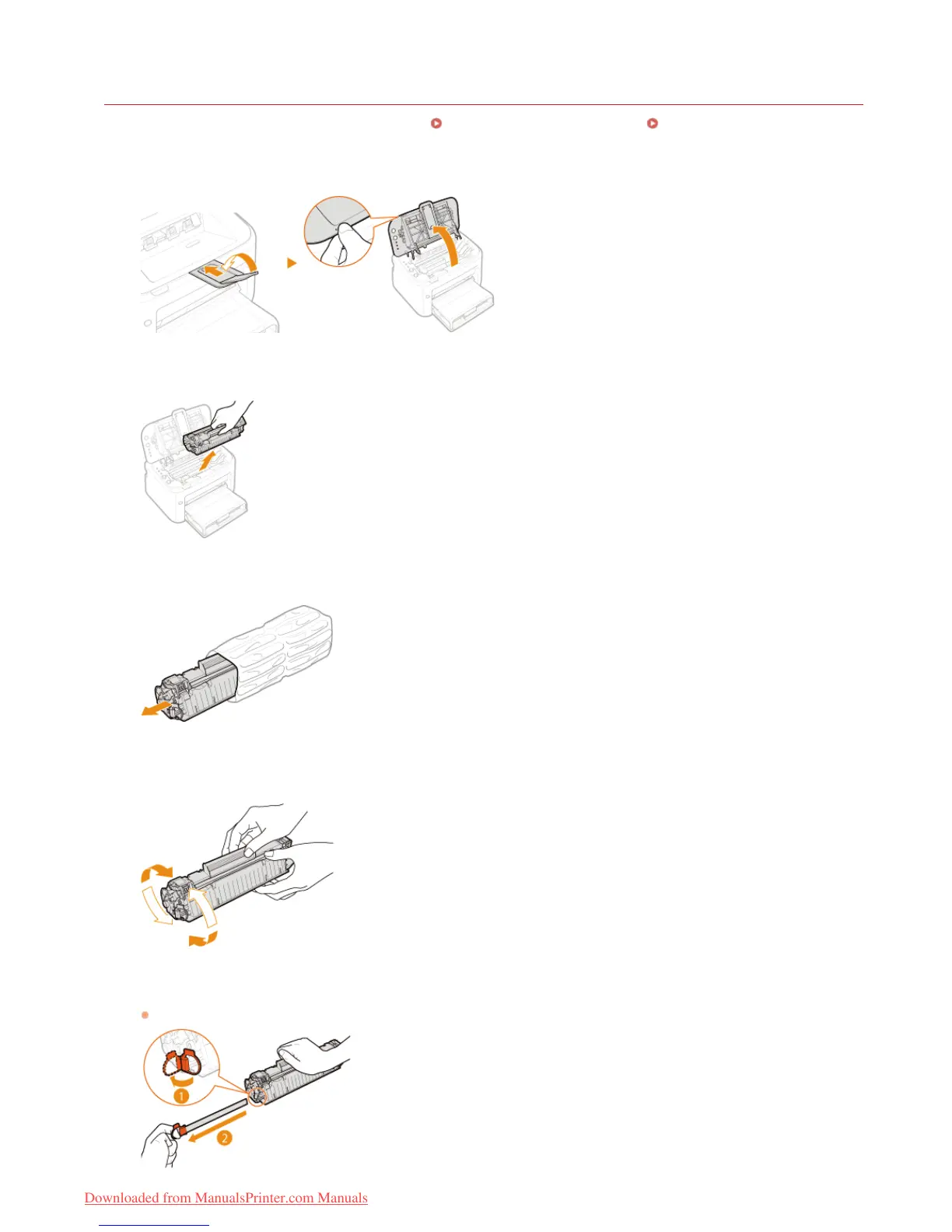
Close the auxiliary tray, and then open the top cover.
Remove the toner cartridge.
Remove the new toner cartridge from the protective bag.
Shake the toner cartridge 5 or 6 times as shown below to evenly distribute the toner inside the cartridge,
and then place it on a flat surface.
Pull the sealing tape straight out.
The full length of the sealing tape is approximately 50 cm.
1
2
3
4
5
㻝㻥㻜㻌㻛㻌㻞㻠㻜
Downloaded from ManualsPrinter.com Manuals














 To Next Page