0JFC-055
Specifying MAC Addresses for Firewall Rules
You can allow only communication with devices that have the specified MAC addresses and reject communication with other devices. You
can also specify settings to reject only communication with devices that have specific MAC addresses and allow other communications. Up
to 32 MAC addresses can be specified.
When this machine is connected to a wireless LAN, this function cannot be used.
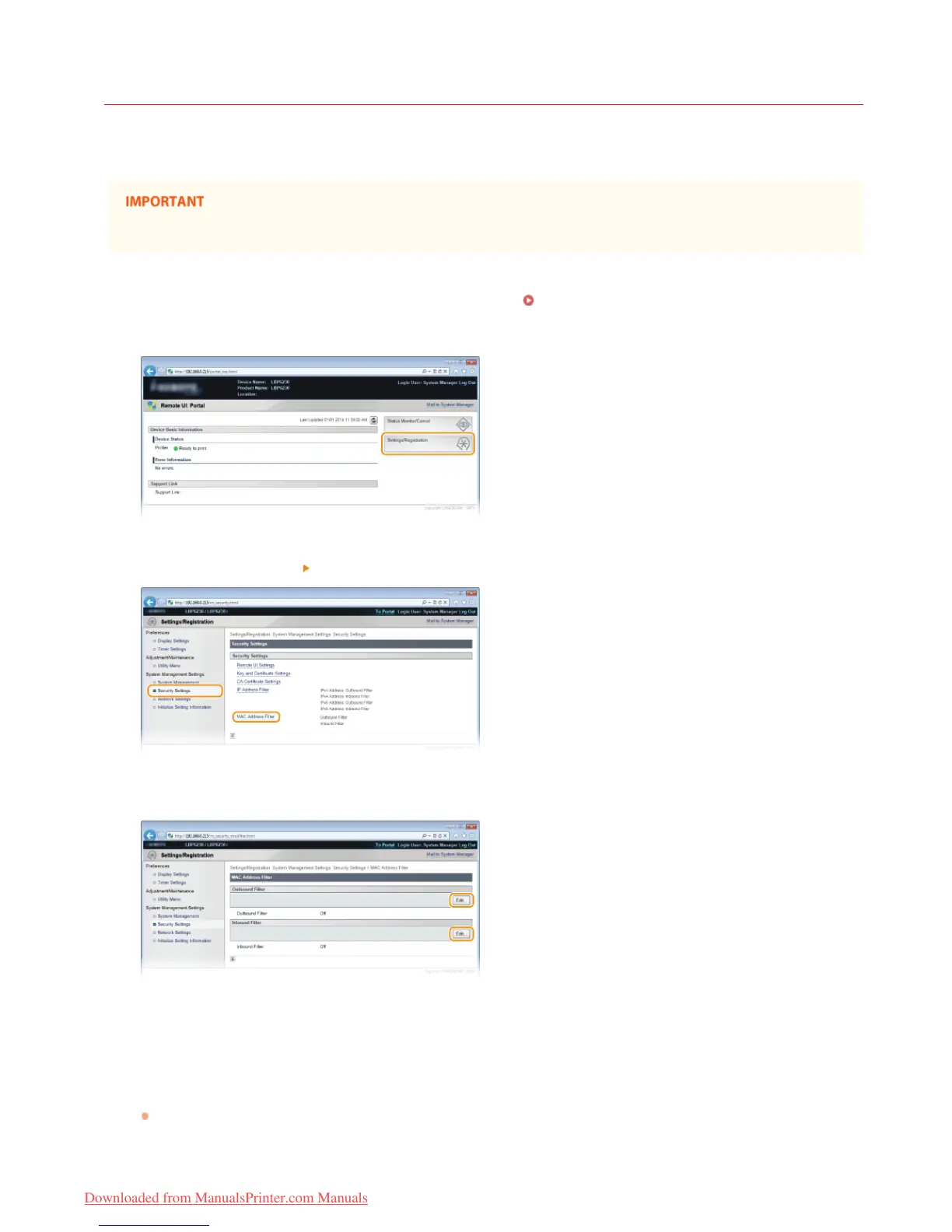
Start the Remote UI and log on in System Manager Mode. Starting the Remote UI
Click [Settings/Registration].
Click [Security Settings] [MAC Address Filter].
Click [Edit] to specify a filter type.
[Outbound Filter]
Restrict data sent from the machine to a computer by specifying a MAC address.
[Inbound Filter]
Restrict data received by the machine from a computer by specifying a MAC address.
Specify the settings for filtering.
As the policy conditions, select a default policy to allow or reject communication between the machine and other devices. Then
specify MAC addresses for exceptions.
1
2
3
4
5
㻝㻞㻠㻌㻛㻌㻞㻠㻜
Downloaded from ManualsPrinter.com Manuals














 To Next Page