0JFC-016
Printing Borders
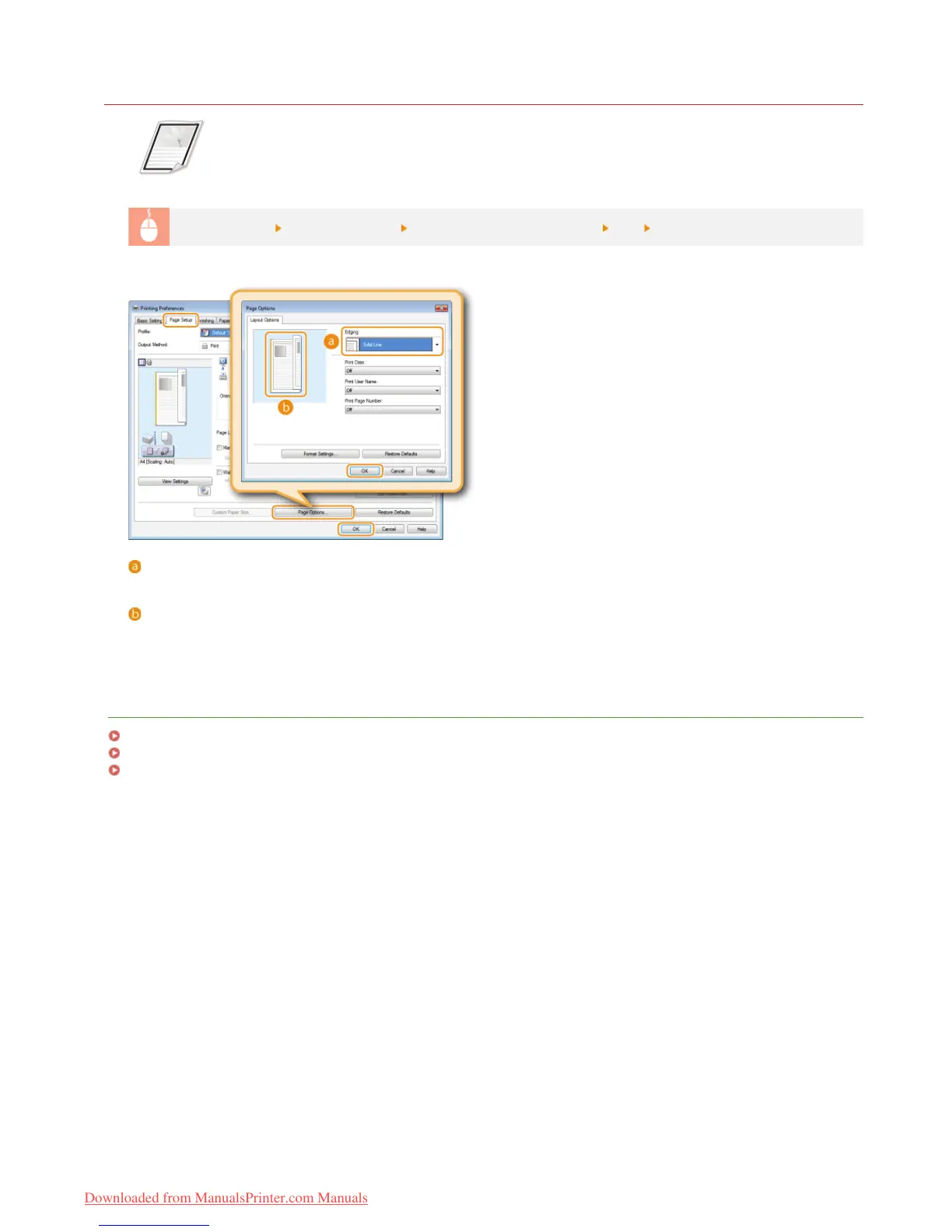
You can add borders, such as broken lines or double lines, in the margins of printouts.
[Page Setup] tab Click [Page Options] Select the border type in [Edging] [OK] [OK]
[Edging]
Selects the type of border to add to the document.
Preview
Displays a preview with the selected border.
LINKS
Basic Print Operations
Printing Dates and Page Numbers
Printing Watermarks
㻡㻣㻌㻛㻌㻞㻠㻜
Downloaded from ManualsPrinter.com Manuals












 To Next Page