0K57-005
Installing to Use WSD
If you are using Windows Vista/7/8/Server 2008/Server 2012, you can print by using the WSD (Web Services on Devices) protocol. If
you want to use WSD, first install the printer driver and then add a network printer.
Installing a Printer Driver
Adding a Network Printer
Log on to the computer with an administrator account.
Open the printer folder.
Displaying the Printer Folder
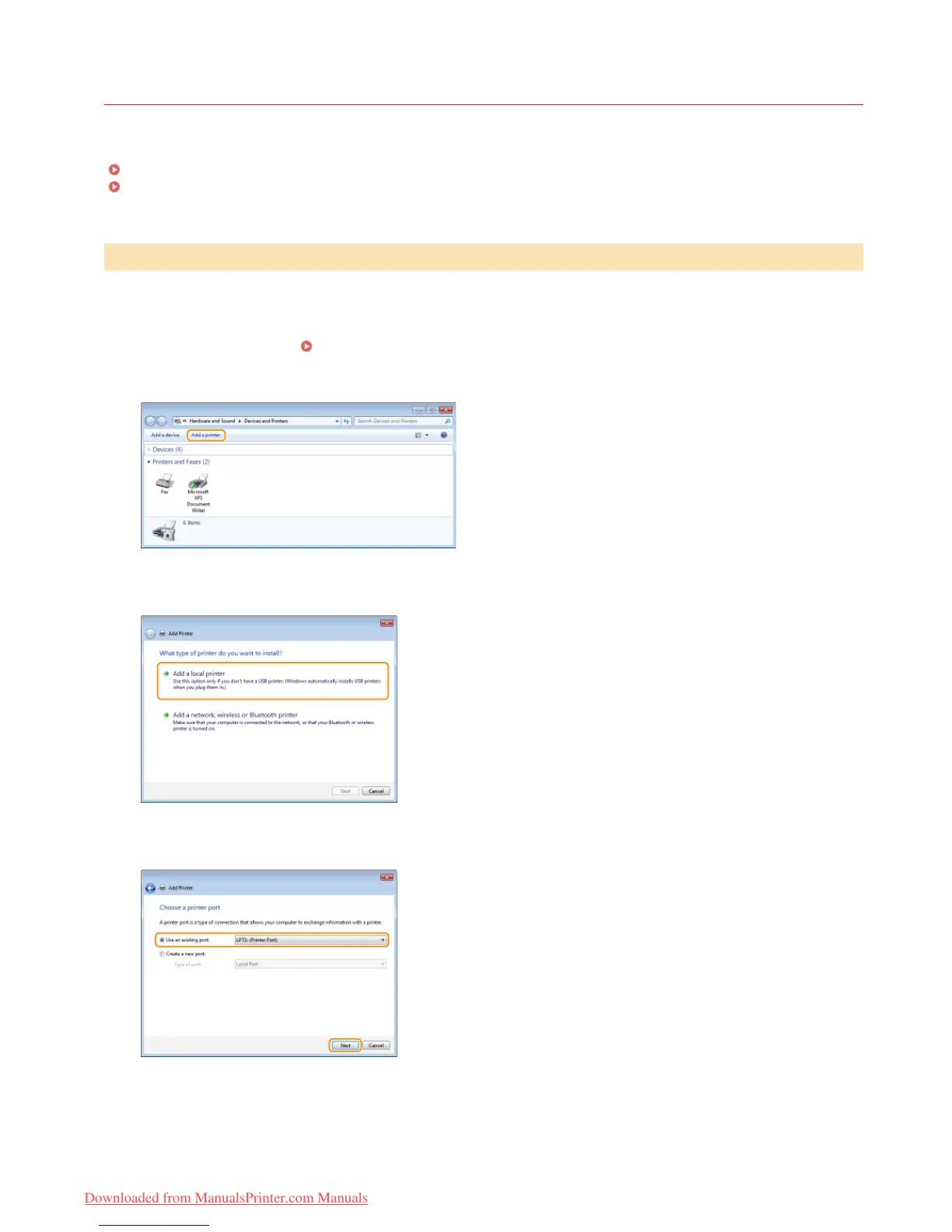
Click [Add a printer] or [Add Printer].
Click [Add a local printer].
Check that [LPT1] is selected under [Use an existing port], and click [Next].
Click [Have Disk].
Installing a Printer Driver
1
2
3
4
5
6
㻝㻤㻌㻛㻌㻡㻢
Downloaded from ManualsPrinter.com Manuals














 To Next Page