0K57-007
Configuring Settings on the Print Server Computer
Configure printer sharing settings on the computer that you want to use as the print server. The following procedure assumes that you
have already installed the printer driver on the computer that you plan to use as the print server. If you have not installed the printer
driver already, see
Setting Up a Print Server during Printer Driver Installation.
It may not be possible to install printer drivers over the network if the client computers and the print server use different
versions of the operating system (32-bit or 64-bit).
Consult your network administrator if you want to set up a print server in a domain environment.
Log on to the computer with an administrator account.
Open the printer folder.
Displaying the Printer Folder
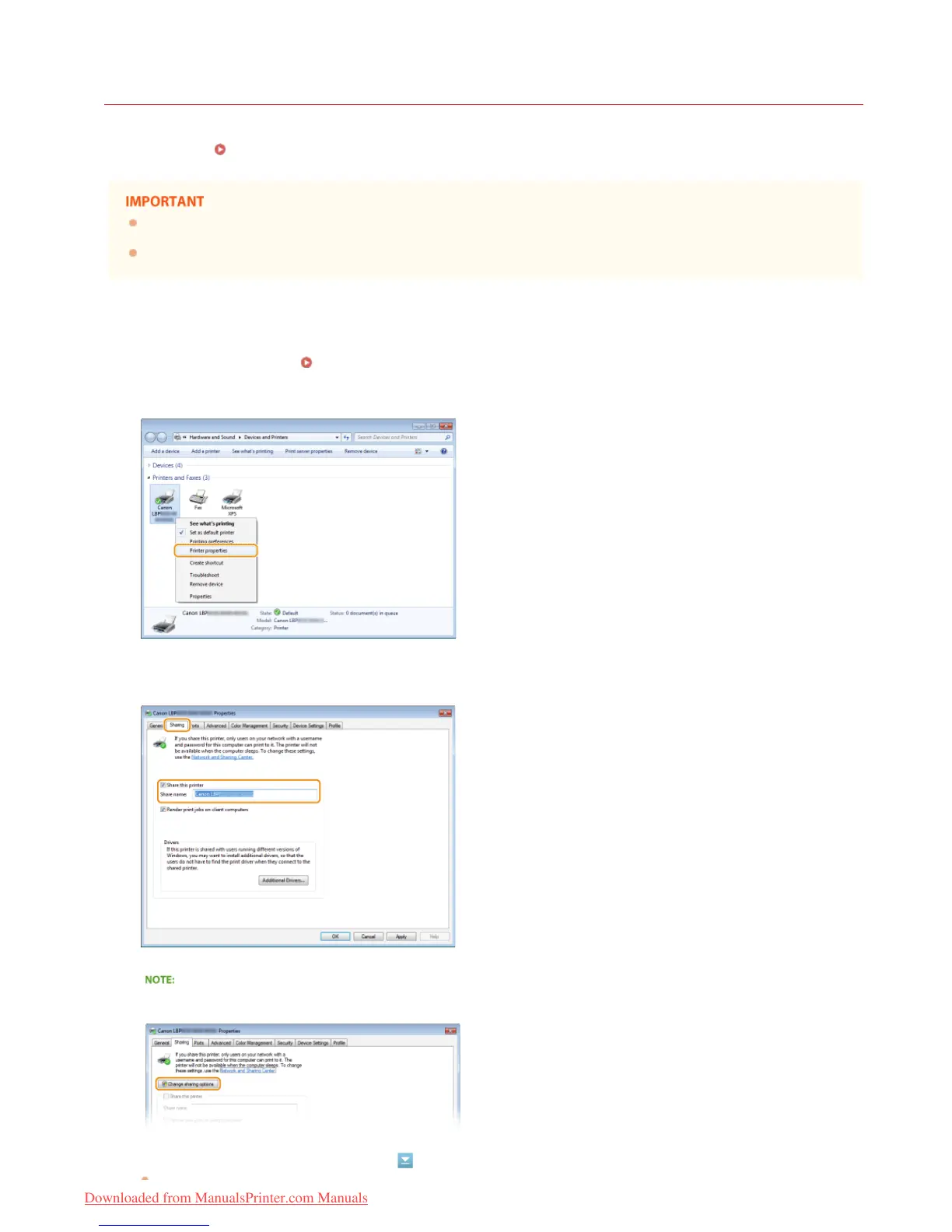
Right-click the icon of the printer you are setting up and click [Printer properties] or [Properties].
Click the [Sharing] tab, select [Share this printer], and enter the share name.
If [Change sharing options] is displayed
Click [Change sharing options].
Install additional drivers as necessary.
1
2
3
4
5
㻞㻠㻌㻛㻌㻡㻢
Downloaded from ManualsPrinter.com Manuals














 To Next Page