0JFC-012
Enlarging or Reducing
You can make enlarged or reduced printouts by using a preset print ratio, such as A5 to A4, or a custom print
ratio that you set in increments of 1%.
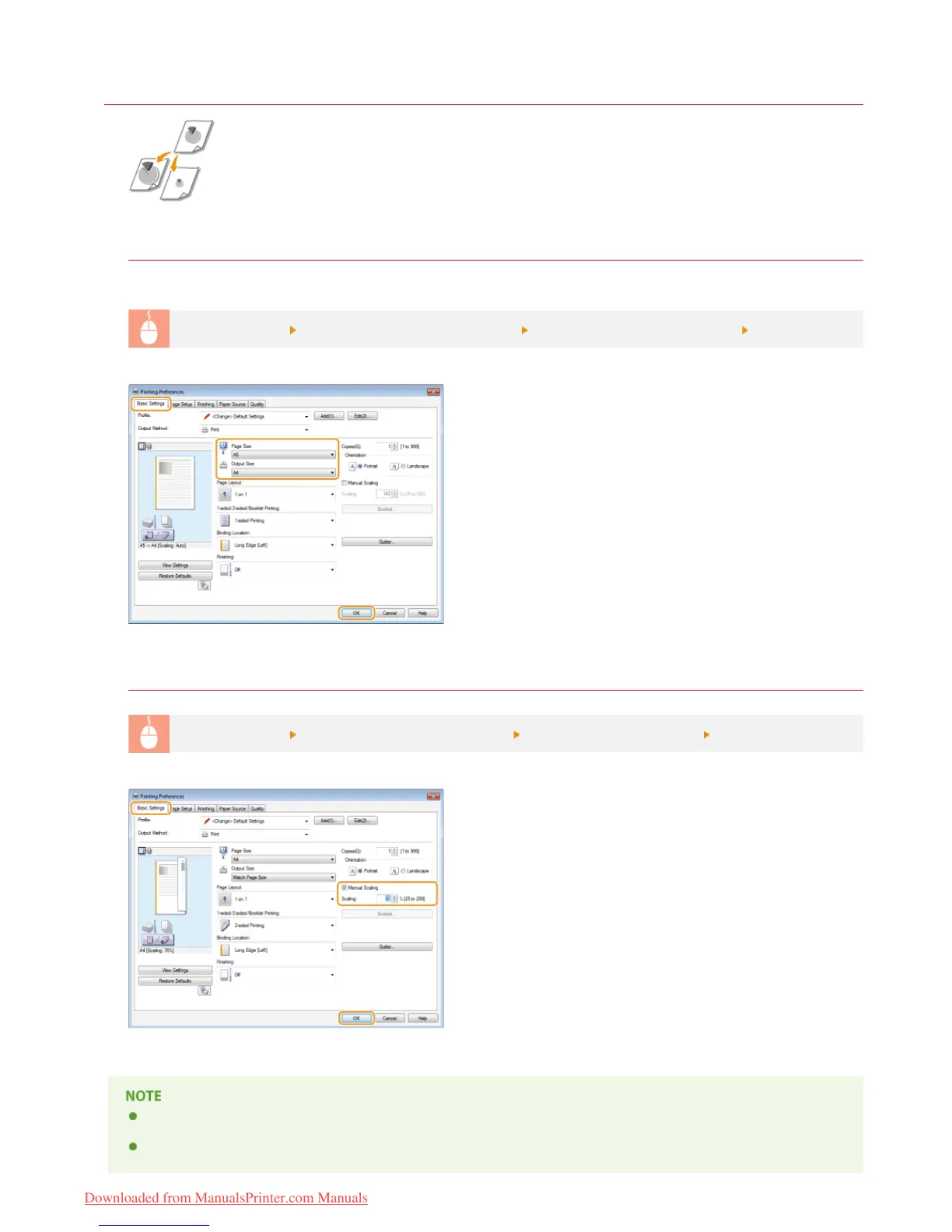
Specifying the Print Ratio by Specifying the Original Document and Paper Size (Preset Ratio)
The print ratio is set automatically based on the document and paper size you have selected.
[Basic Settings] tab
Select the document size in [Page Size] Select the paper size in [Output Size] [OK]
Specifying the Print Ratio in Increments of 1%
[Basic Settings] tab Select the [Manual Scaling] check box Enter the print ratio in [Scaling] [OK]
Depending on the selected paper size, you may not be able to set an appropriate enlarging/reducing ratio. For example, there
may be large blank spaces on your printout, or portions of the document may be missing.
The enlarging/reducing settings on some applications take priority over those of the printer driver.
㻠㻤㻌㻛㻌㻞㻠㻜
Downloaded from ManualsPrinter.com Manuals














 To Next Page