0JFC-00K
Setting Auto Shutdown
You can set up the machine to automatically turn itself OFF after it remains idle for a certain length of time. This prevents wasted power
consumption caused by forgetting to turn the machine OFF. The factory default setting for the amount of time that elapses before the
power is turned OFF is 4 hours. If you want to change this setting, perform the following procedure in the Printer Status Window.
If you set the time until the power is turned OFF to a time shorter than the factory default setting, the lifetime of the toner
cartridge may be shorter.
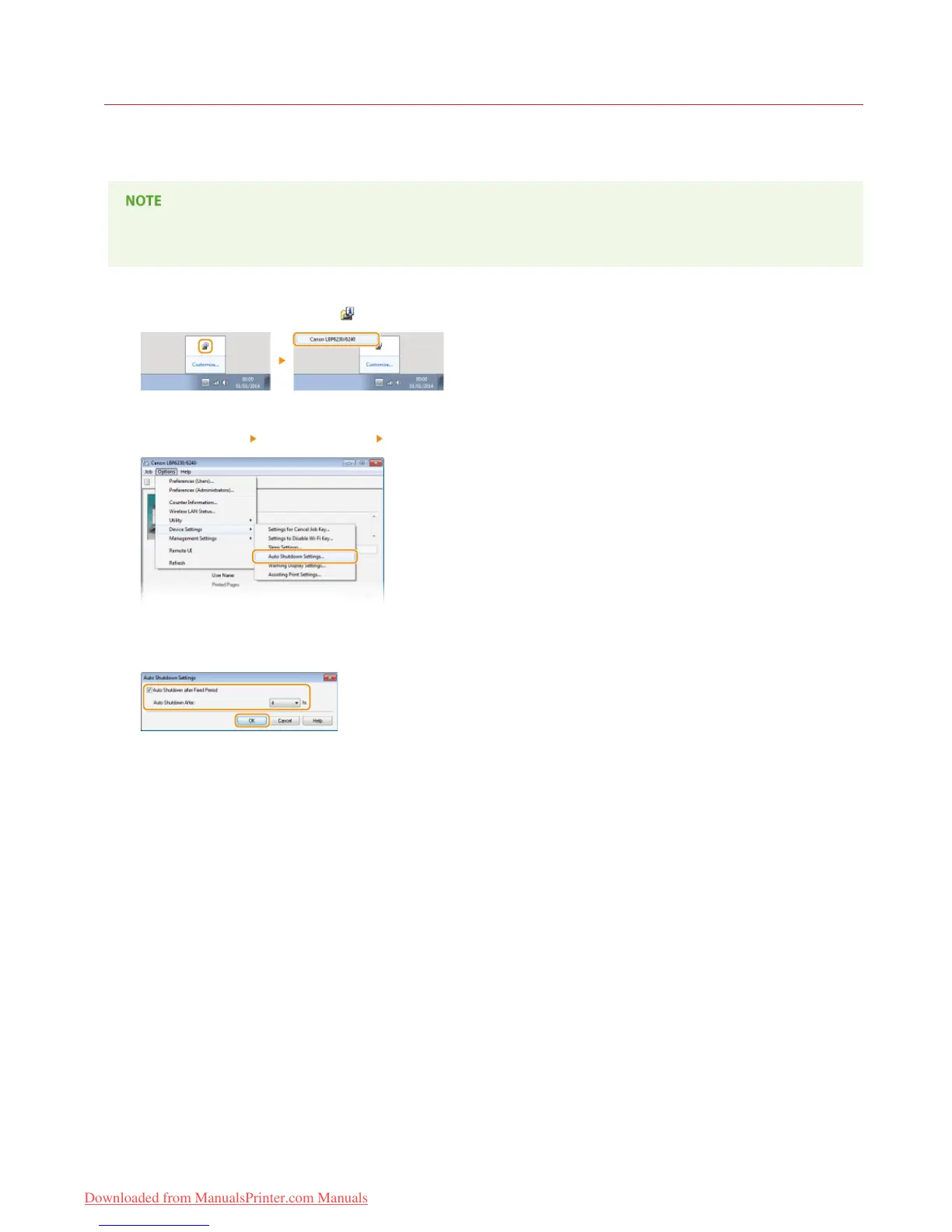
Select the machine by clicking in the system tray.
Select [Options] [Device Settings] [Auto Shutdown Settings].
Make auto shutdown settings, and click [OK].
[Auto Shutdown after Fixed Period]
Select the check box to enable auto shutdown after the time specified with [Auto Shutdown After].
[Auto Shutdown After]
Specify the length of time until the machine executes auto shutdown, starting from the time when the machine enters sleep mode.
You can select from 1 hour to 8 hours, in units of 1 hour.
1














 To Next Page