0JFC-00E
Printer Status Window
The Printer Status Window is a utility that allows you to check the machine's status, view error information, and make settings related to
the machine, such as power saving settings. You can also use it for operations such as cancelling a print job or printing a list of the
machine's settings. The Printer Status Window utility is installed on your computer automatically when you install the printer driver
(Printer Driver Installation Guide).
Displaying the Printer Status Window
Parts of the Screen and Their Functions
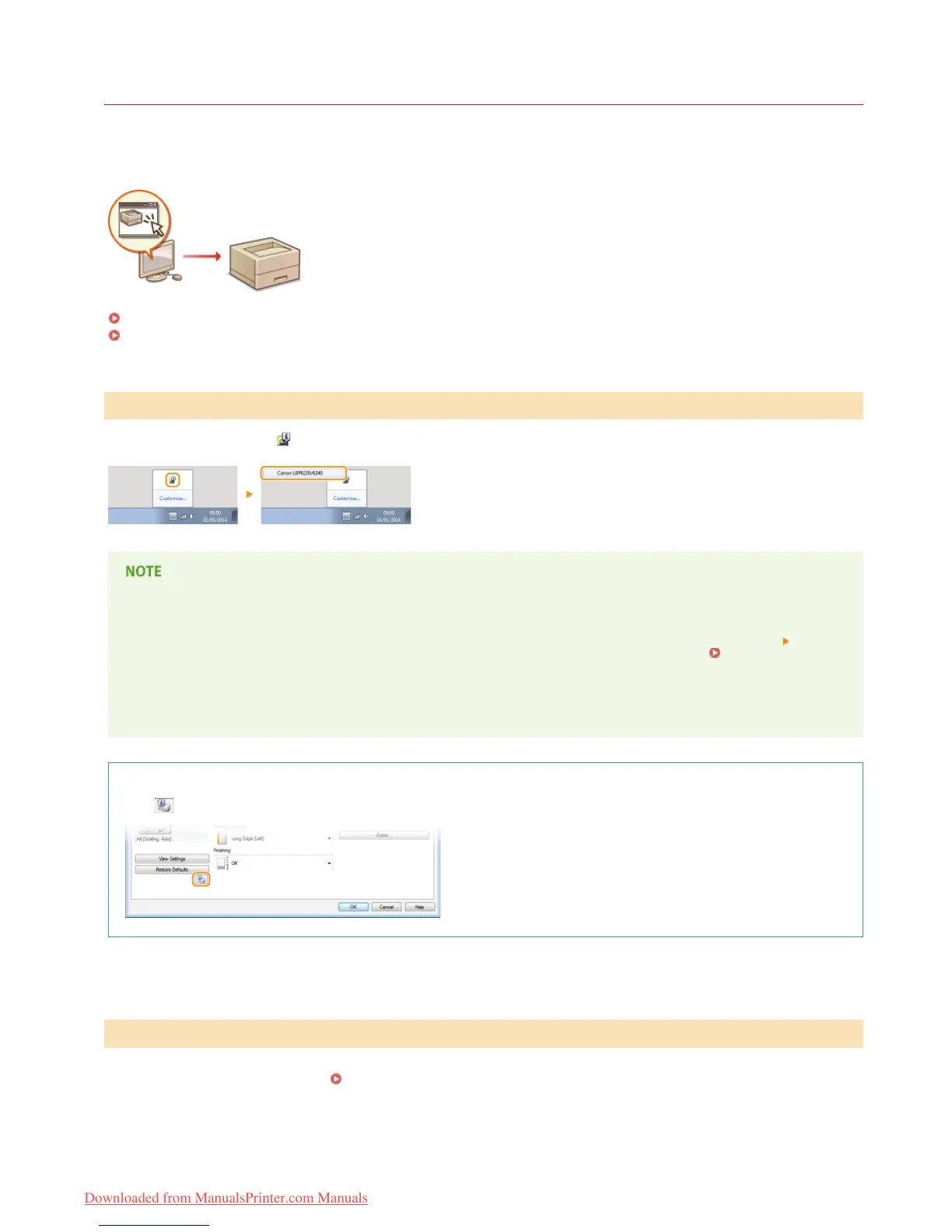
Select the machine by clicking
in the system tray.
Automatic Display of the Printer Status Window
The Printer Status Window is displayed automatically when an error occurs during printing.
You can change the setting that determines when the Printer Status Window is displayed automatically. Change it with the [Options] menu
[Preferences (Users)] or [Preferences (Administrators)] dialog box of the Printer Status Window. For details, see the Help. [Help] menu
If you are using Windows 8/Server 2012
Display the Printer Status Window after moving to the desktop.
Displaying from the Printer Driver
Click in the printer driver screen.
This section provides an outline of the main screen. For detailed descriptions of the dialog boxes that can be displayed with the controls
and menus in this screen, see the Help. [Help] menu
Displaying the Printer Status Window
*
Parts of the Screen and Their Functions
㻞㻞㻌㻛㻌㻞㻠㻜
Downloaded from ManualsPrinter.com Manuals














 To Next Page