0JFC-023
Setting a Wait Time for Connecting to a Network
When a network is designed with multiple switching hubs or bridges in order to provide redundant connectivity, it must have a
mechanism to prevent packets from looping. One effective solution is to define the role of each switch port. However, communication
may still be disrupted for a certain time immediately after you change the network, for example by adding a new device. If this type of
problem occurs, set a wait time for connecting the machine to the network.
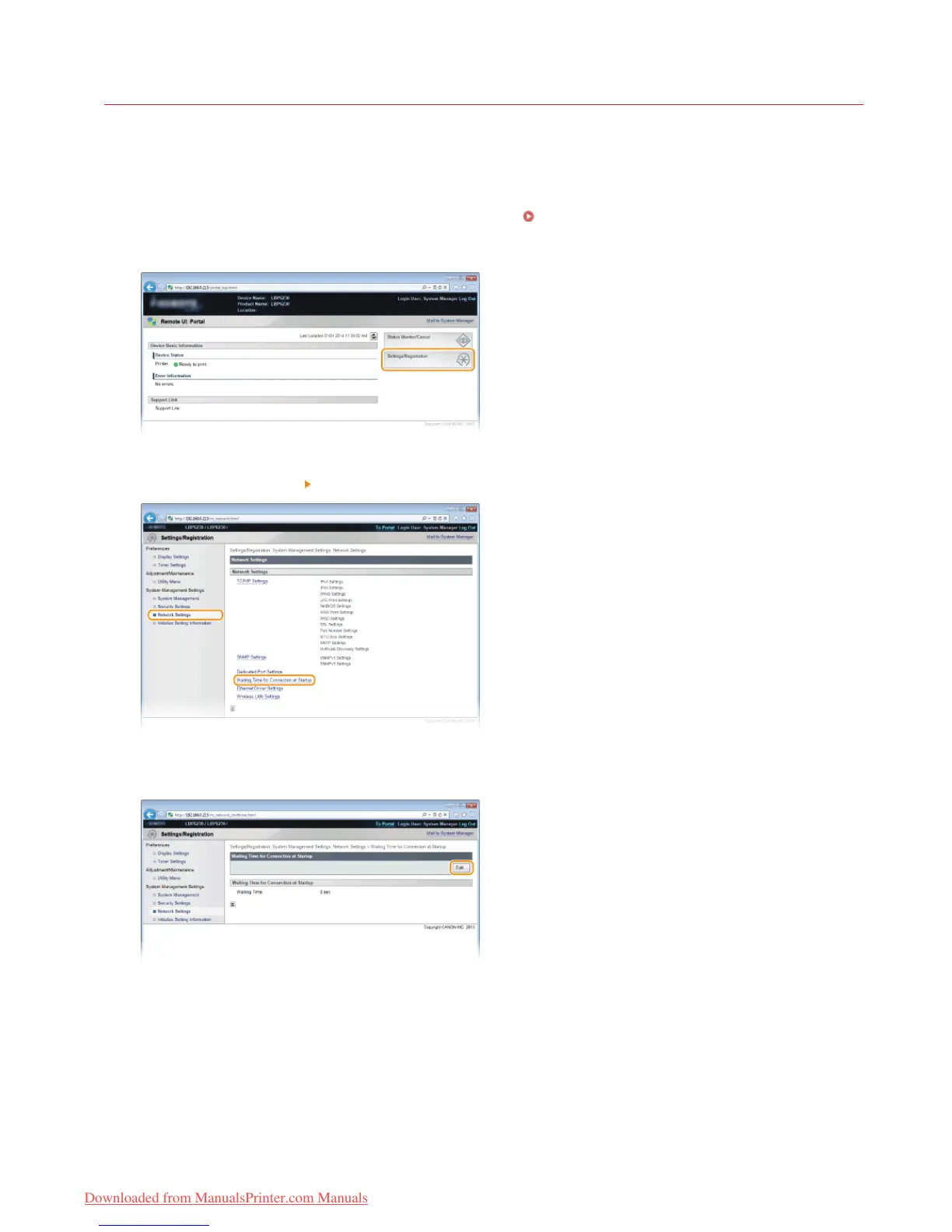
Start the Remote UI and log on in System Manager Mode. Starting the Remote UI
Click [Settings/Registration].
Click [Network Settings] [Waiting Time for Connection at Startup].
Click [Edit].
Enter the time to wait before beginning communication with the network, and then click [OK].
1
2
3
4
5
㻥㻣㻌㻛㻌㻞㻠㻜
Downloaded from ManualsPrinter.com Manuals














 To Next Page