0JFC-01S
Setting IPv4 Address
The machine's IPv4 address can be either assigned automatically by a dynamic IP addressing protocol, such as
DHCP, or entered manually. When connecting the machine to a wired LAN, make sure that the connectors of
the LAN cable are firmly inserted into the ports (
Connecting to a Wired LAN).
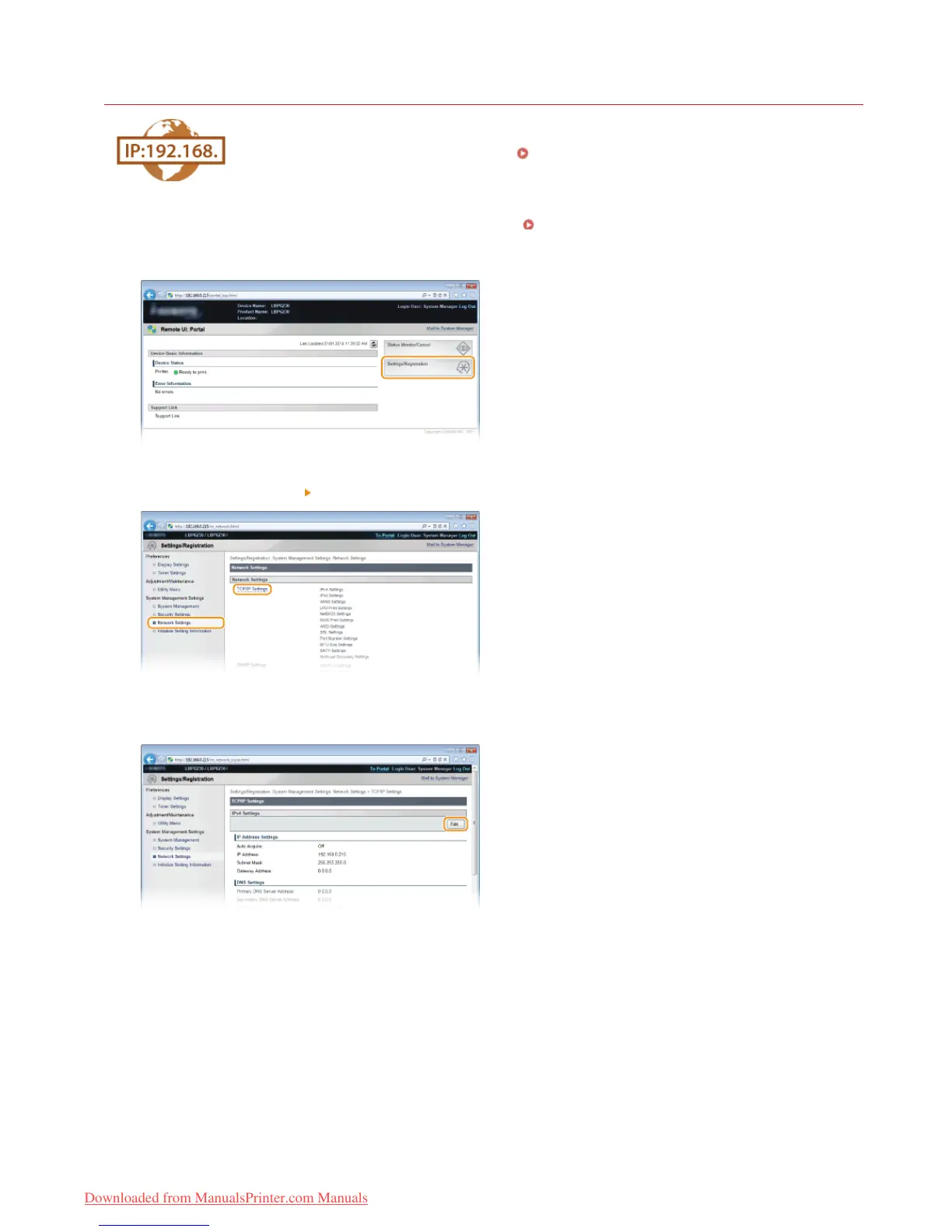
Start the Remote UI and log on in System Manager Mode. Starting the Remote UI
Click [Settings/Registration].
Click [Network Settings] [TCP/IP Settings].
Click [Edit] in [IPv4 Settings].
Set the IP address.
1
2
3
4
5
㻣㻣㻌㻛㻌㻞㻠㻜
Downloaded from ManualsPrinter.com Manuals














 To Next Page