0JFC-031
Setting Menu List
This section describes the menu items that can be set using the Remote UI. Default settings are marked with a dagger ( ).
[Preferences] Menu
Display Settings
Timer Settings
[Adjustment/Maintenance] Menu
Utility Menu
[System Management Settings] Menu
System Management
Security Settings
Network Settings
Initialize Setting Information
Select the display language used for the Remote UI screens.
Remote UI Language
Chinese (Simplified)
English
French
German
Italian
Japanese
Spanish
Make settings related to time, such as the time zone.
Time Zone
UTC-12:00 to UTC 0:00
to UTC+12:00
Display Settings
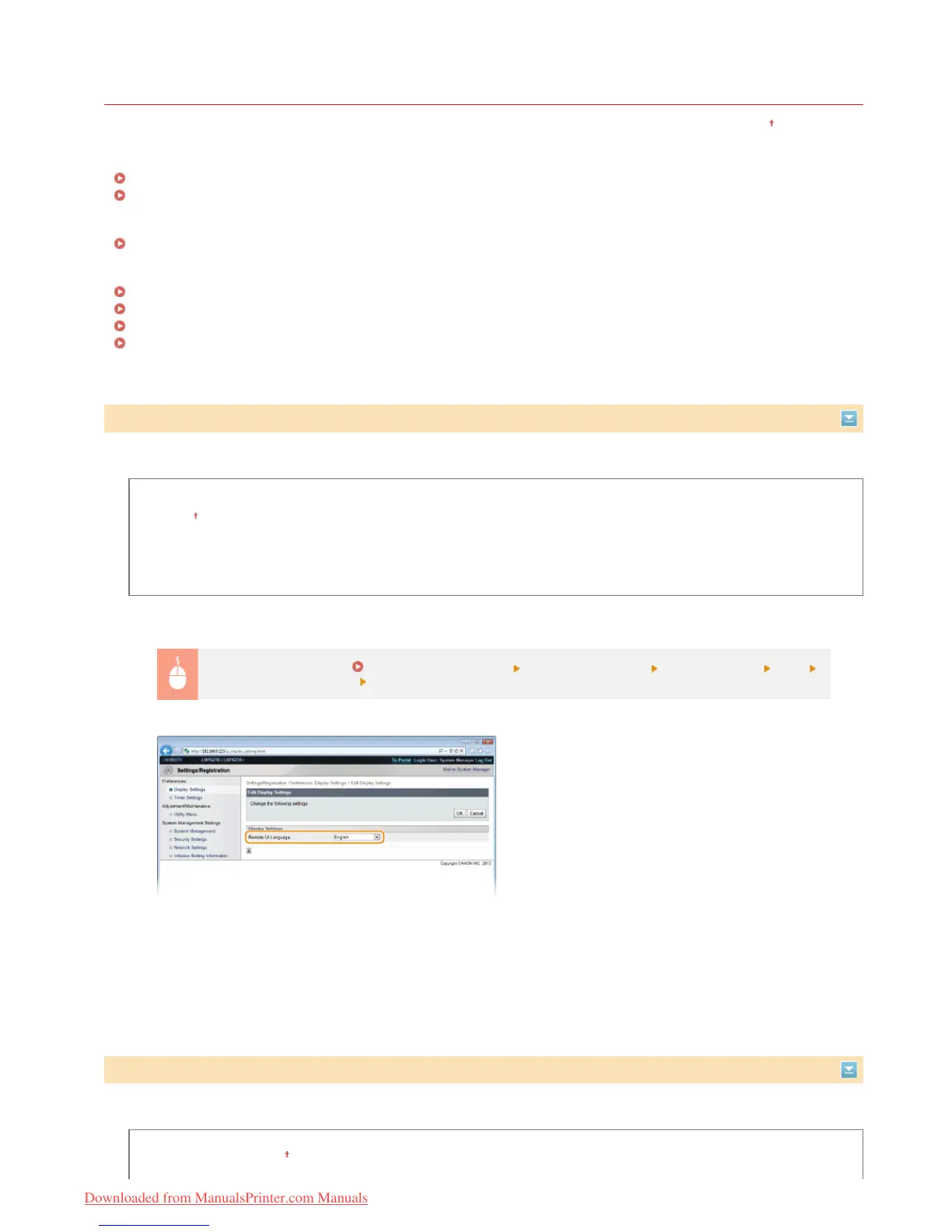
Log on to the Remote UI ( Starting the Remote UI) [Settings/Registration] [Display Settings] [Edit]
Select the display language [OK]
[Remote UI Language]
Selects the display language used for the Remote UI screens.
Timer Settings
㻝㻠㻤㻌㻛㻌㻞㻠㻜
Downloaded from ManualsPrinter.com Manuals












 To Next Page