0K57-00R
MF/LBP Network Setup Tool
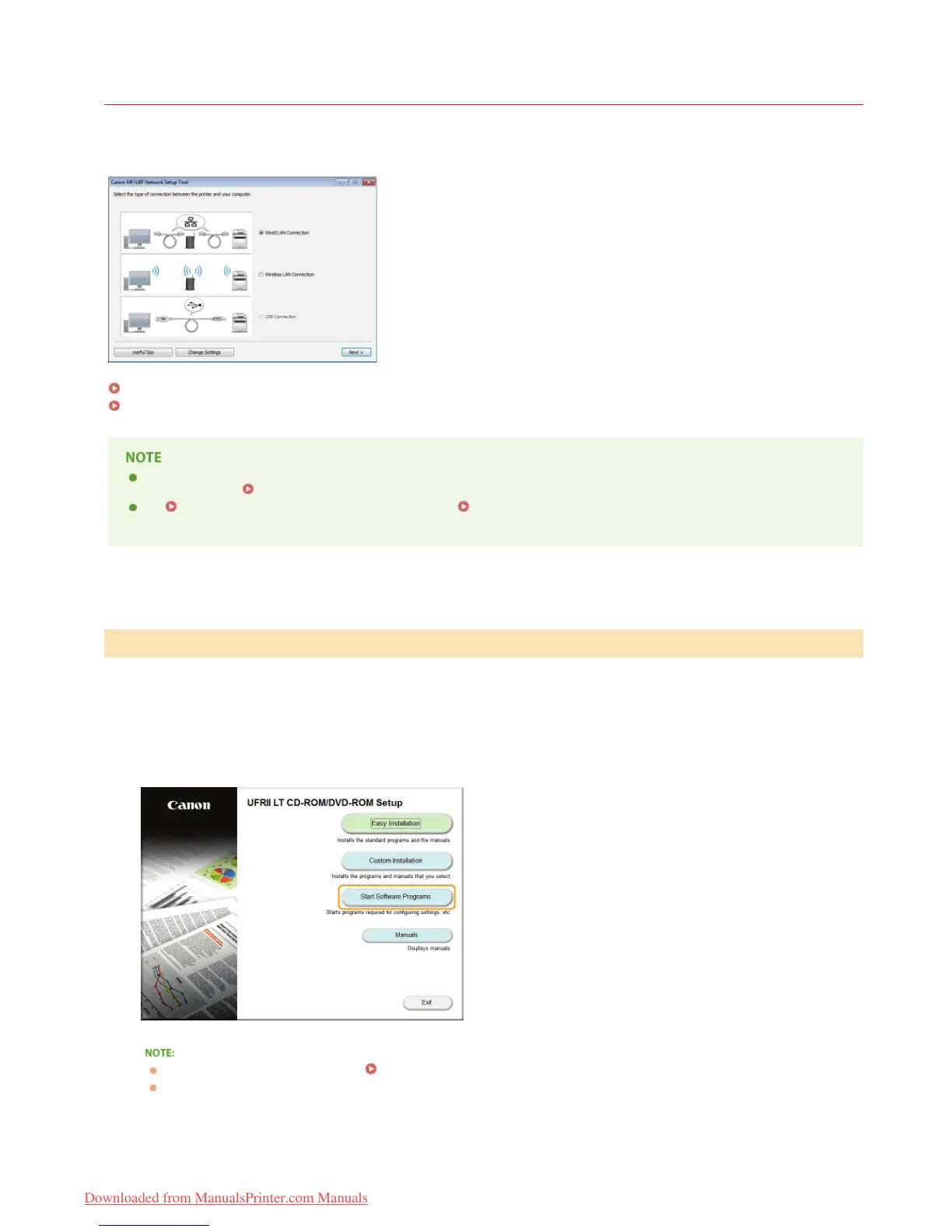
The MF/LBP Network Setup Tool is a utility that allows you to configure initial network settings by following instructions on the screen.
The Tool starts automatically when you install a printer driver from the User Software CD-ROM/DVD-ROM. If you want to start it alone
manually, you can start it from the User Software CD-ROM/DVD-ROM or start it directly from a file downloaded from the Canon website.
Starting from the CD-ROM/DVD-ROM
Starting from a Downloaded File
The system environment required to use the MF/LBP Network Setup Tool is the same as the system environment required for
the printer driver.
System Requirements
See
Configuring Wired LAN Connection Settings or Configuring Wireless LAN Connection Settings for information
about how to configure initial network settings by using the MF/LBP Network Setup Tool.
Log on to the computer with an administrator account.
Insert the User Software CD-ROM/DVD-ROM into the drive on the computer.
Click [Start Software Programs].
If the above screen does not appear Displaying the [CD-ROM/DVD-ROM Setup] Screen
If [AutoPlay] is displayed, click [Run MInst.exe].
Click [Start] of [MF/LBP Network Setup Tool].
Starting from the CD-ROM/DVD-ROM
1
2
3
4
㻠㻢㻌㻛㻌㻡㻢
Downloaded from ManualsPrinter.com Manuals












 To Next Page