Enable or disable encrypted communication via SSL and IP address packet filtering.
Remote UI Settings
Select whether to use SSL encrypted communication. Enabling SSL Encrypted Communication for the Remote UI
Use SSL
Off
On
Key and Certificate Settings
Register key pairs, or generate them on the machine. You can check and verify registered key pairs. Configuring Settings for
Key Pairs and Digital Certificates
CA Certificate Settings
Register a CA certificate. One CA certificate is preinstalled. You can check and verify registered CA certificates. Configuring
Settings for Key Pairs and Digital Certificates
IP Address Filter
Specify whether to allow or reject packets sent to or received from devices with specified IP addresses.
IPv4 Address: Outbound Filter
Do not allow the machine to send data to a computer with a specified IPv4 address. Specifying IP Addresses for Firewall
Rules
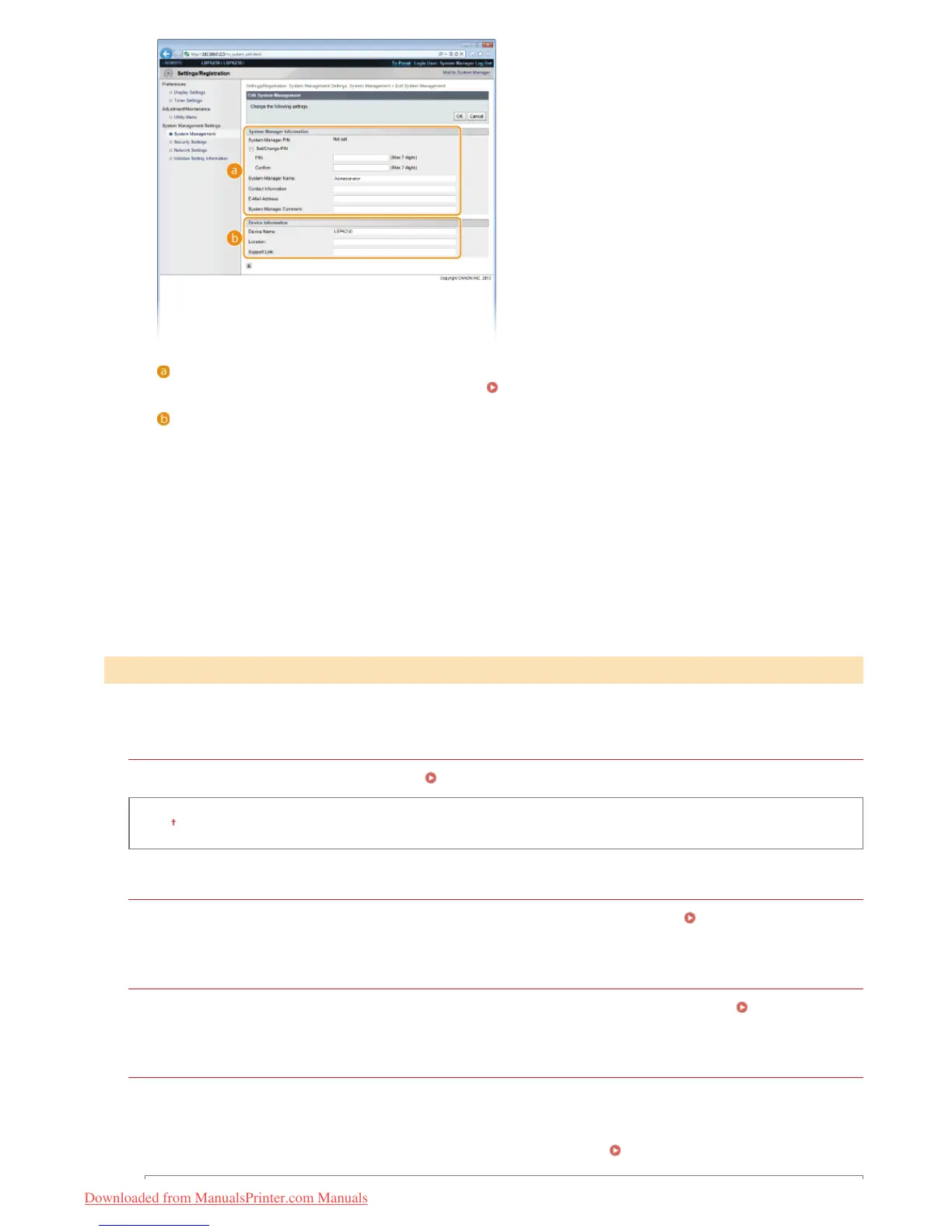
[System Manager Information]
Specify the PIN and other system manager information.
Setting System Manager Passwords
[Device Information]
[Device Name]
Enter up to 32 alphanumeric characters for the name of the machine.
[Location]
Enter up to 32 alphanumeric characters for the location of the machine.
[Support Link]
Enter a link to support information about the machine. The link can be up to 128 alphanumeric characters long.
The link is displayed on the Portal Page (main page) of the Remote UI.
Security Settings
㻝㻡㻝㻌㻛㻌㻞㻠㻜
Downloaded from ManualsPrinter.com Manuals












 To Next Page