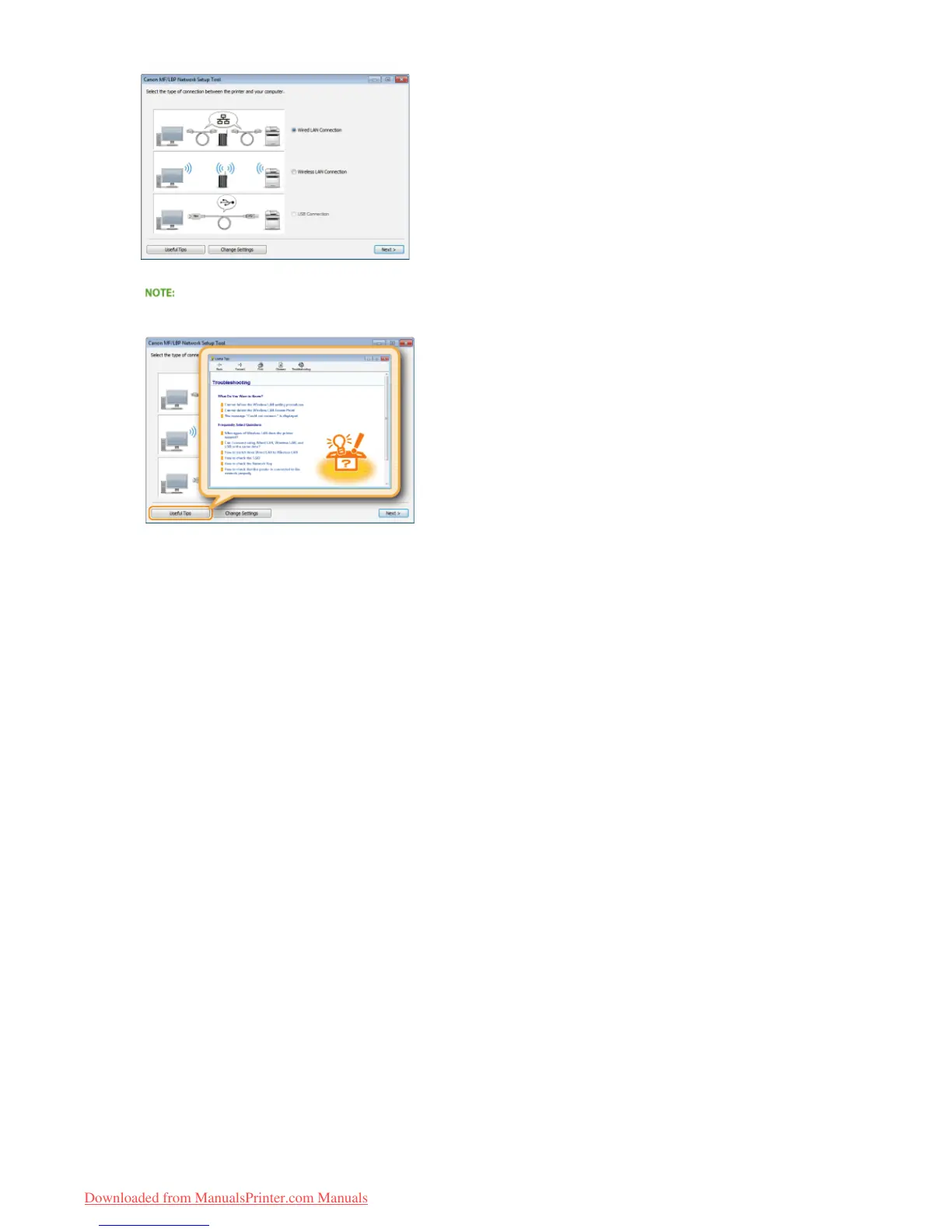
Follow the on-screen instructions to configure the wired LAN settings.
If there is something you do not understand
Click [Useful Tips] at the bottom left of the screen to display troubleshooting tips.
If you are not sure how to make a LAN cable connection
See the "e-Manual" supplied with your printer for the connection method for the printer and router or cable connection
troubleshooting.
3
㻠㻞㻌㻛㻌㻡㻢
Downloaded from ManualsPrinter.com Manuals












 To Next Page