If the above screen does not appear Displaying the [CD-ROM/DVD-ROM Setup] Screen
If [AutoPlay] is displayed, click [Run MInst.exe].
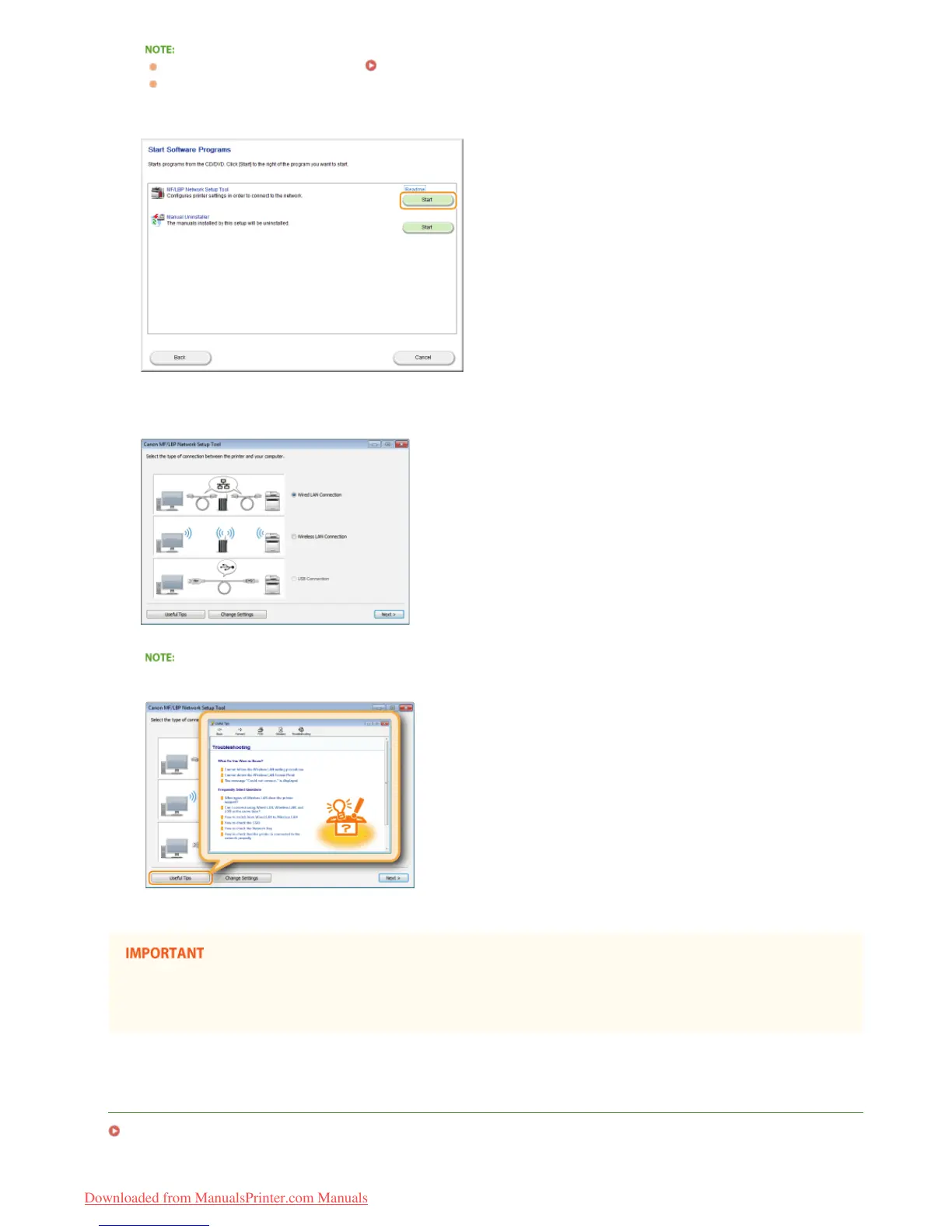
Click [Start] for [MF/LBP Network Setup Tool].
Follow the on-screen instructions to configure the wireless LAN settings.
If there is something you do not understand
Click [Useful Tips] at the bottom left of the screen to display troubleshooting tips.
After switching the connection method from wired LAN to wireless LAN
You need to uninstall the currently installed printer driver, and then reinstall it (Printer Driver Installation Guide).
LINKS
Connecting to a Network
3
4
㻣㻡㻌㻛㻌㻞㻠㻜
Downloaded from ManualsPrinter.com Manuals














 To Next Page