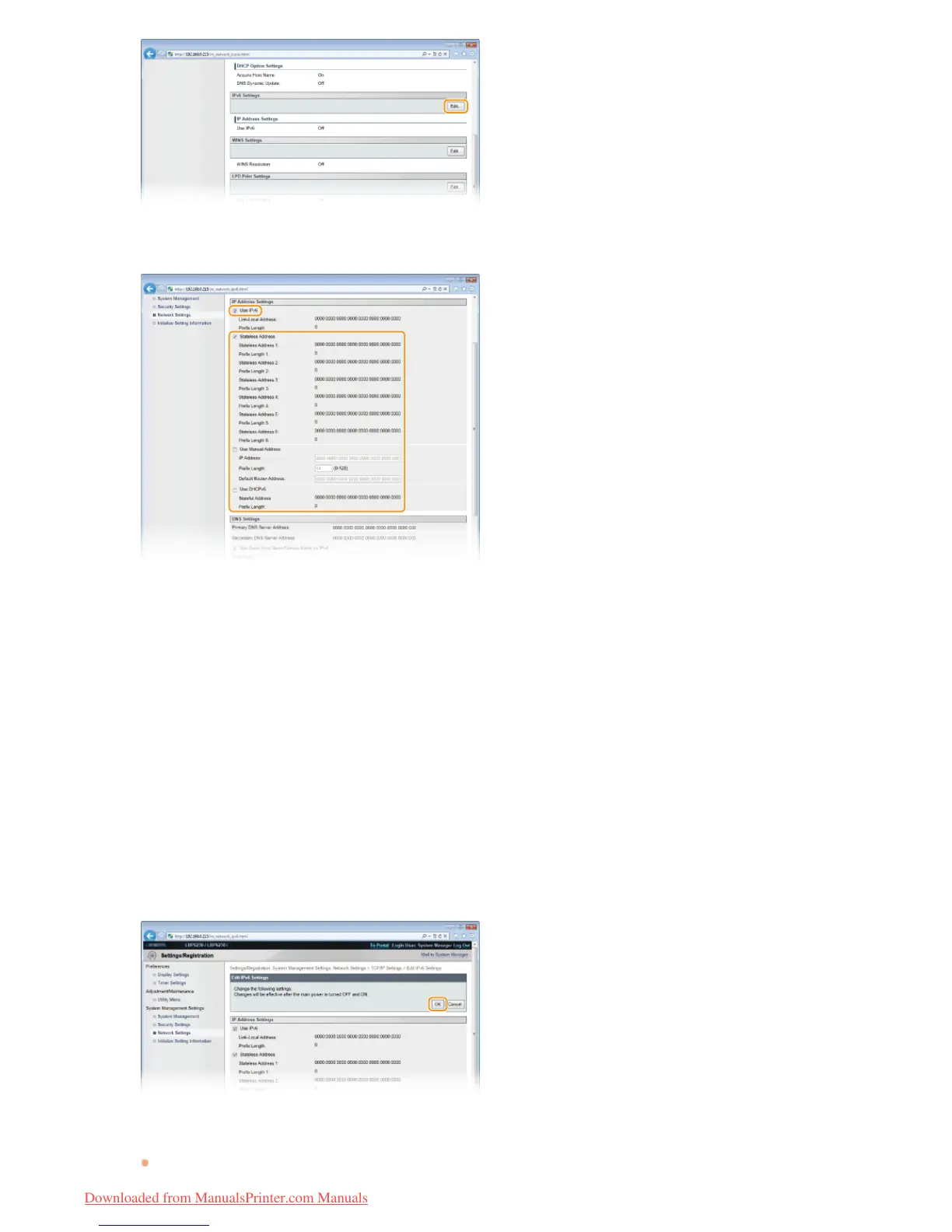
Select the [Use IPv6] check box and configure the required settings.
[Use IPv6]
Select the check box to use IPv6 on the machine. Clear the check box if you do not want to use IPv6.
[Stateless Address]
Check to use stateless addresses. Clear the check box if you do not want to use stateless addresses.
[Use Manual Address]
When you want to enter an IPv6 address manually, select the check box and enter values in the [IP Address], [Prefix Length],
and [Default Router Address] text boxes. Clear the check box if you do not want to enter a manual address.
[IP Address]
Enter an IPv6 address. Addresses that start with "ff" (multicast addresses) and the loopback address (::1) cannot be entered.
[Prefix Length]
Enter the length (number of bits) of the network portion of the address.
[Default Router Address]
Specify the default router address, as necessary. Addresses that start with "ff" (multicast addresses) and the loopback address
(::1) cannot be entered.
[Use DHCPv6]
Select the check box to use the stateful address. Clear the check box if you do not want to use the stateful address.
Click [OK].
Restart the machine.
Turn OFF the machine, wait for at least 10 seconds, and turn it back ON.
5
6
7
㻤㻜㻌㻛㻌㻞㻠㻜
Downloaded from ManualsPrinter.com Manuals














 To Next Page