1314
Cause
Paper is jammed inside the rear cover when performing automatic duplex printing.
Action
If the paper is jammed inside the rear cover when performing automatic duplex printing, remove the paper
following the procedure below.
Important
• The power cannot be turned off while the machine is sending or receiving a fax, or when the received
fax or the unsent fax are stored in the machine's memory.
Make sure that the machine has completed sending or receiving all the faxes before unplugging the
power cord.
If you unplug the power cord, all the faxes stored in the machine's memory are deleted.
Note
• If you need to turn off the machine to remove jammed paper during printing, press the Stop button to
cancel print jobs before turning off the machine.
1.
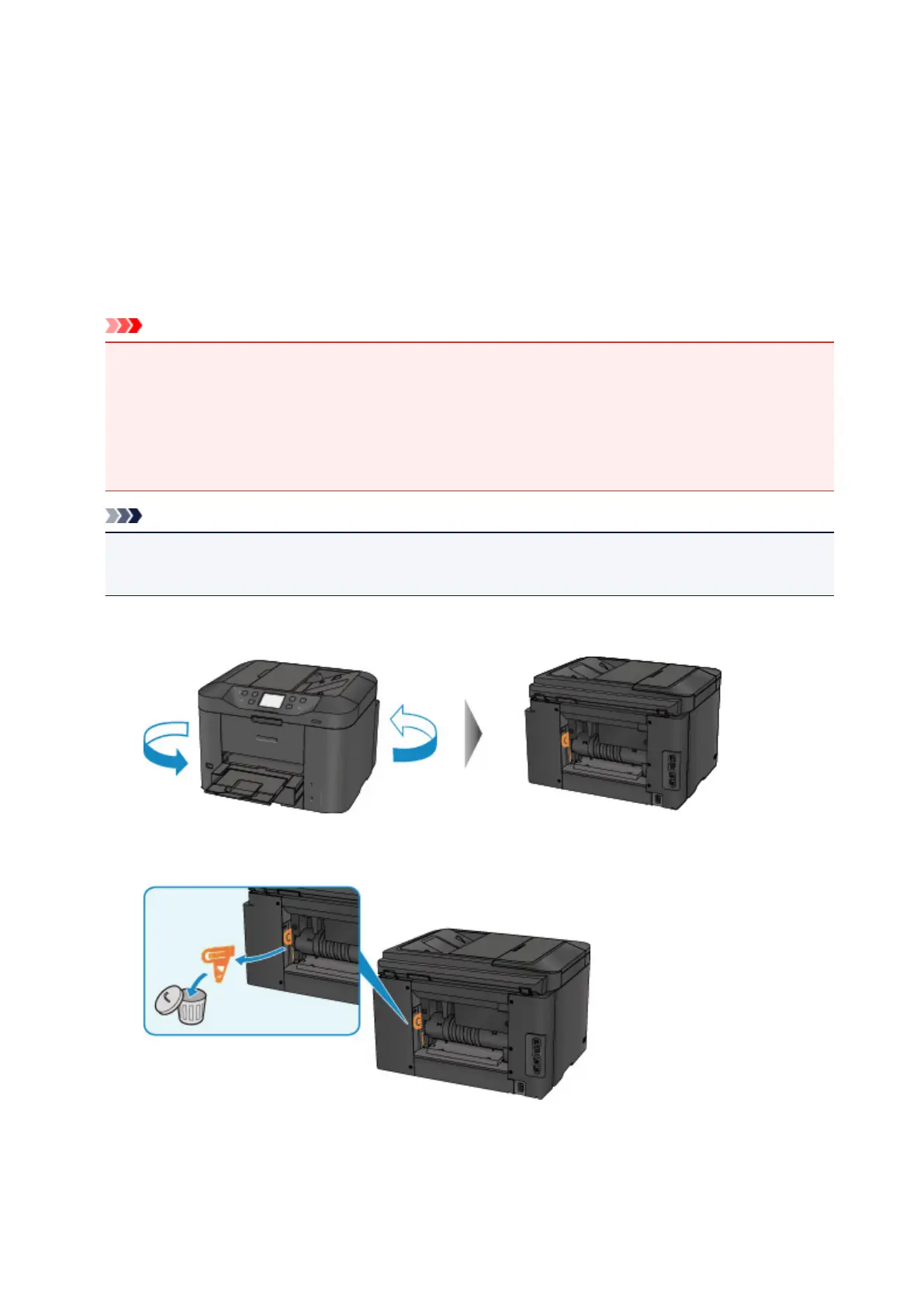
Rotate the machine so that the rear side of the machine faces toward you.
2.
If the protective material for the rear cover remains attached, remove it.
3. Open the rear cover.
Slide the rear cover to the left then open it.
1045












 To Next Page