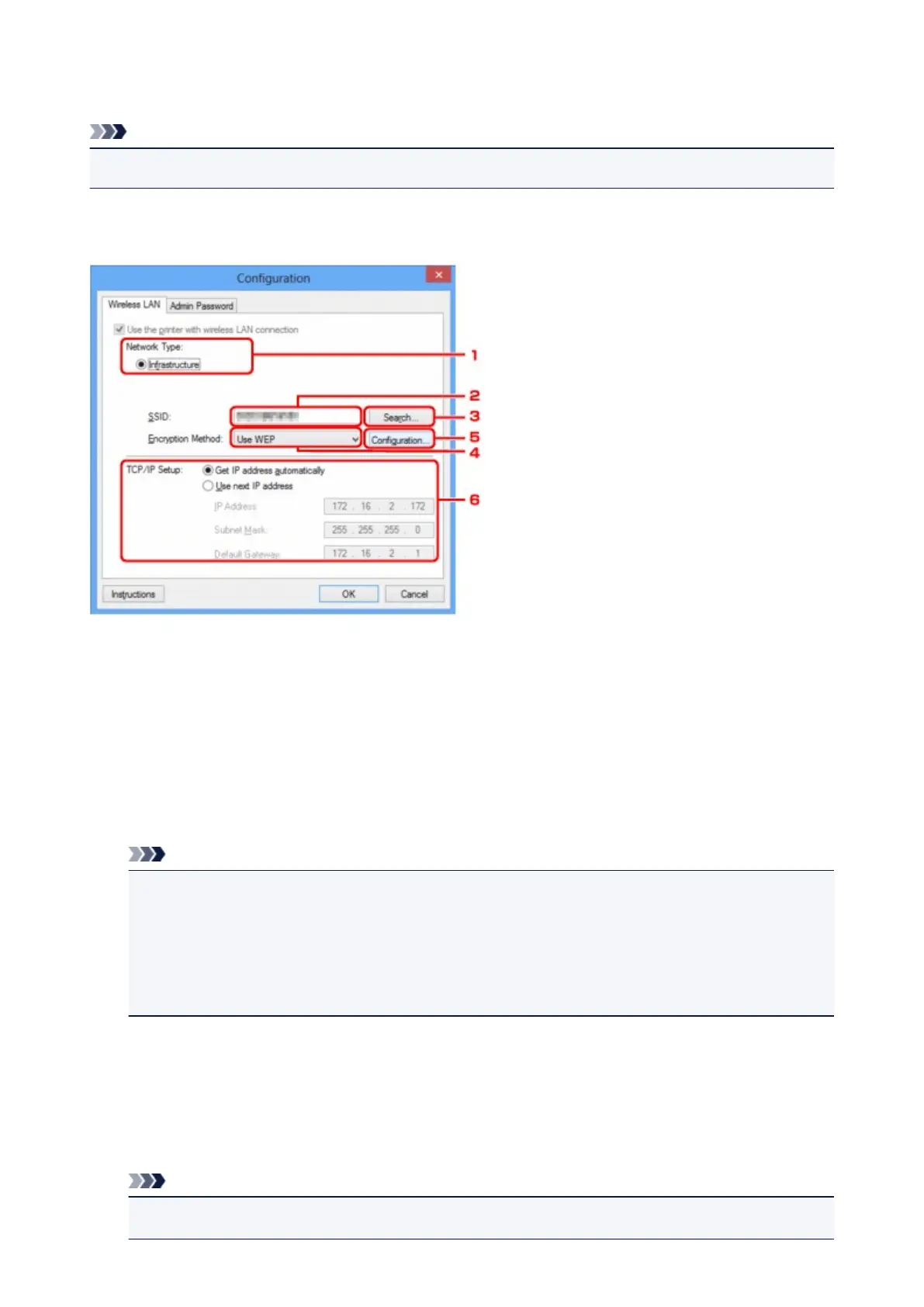
Wireless LAN Sheet
Note
• This screen is not available depending on the printer you are using.
Allows you to set the printer with wireless LAN connection.
To display the Wireless LAN sheet, click the Wireless LAN tab on the Configuration screen.
1.
Network Type:
Displays the wireless LAN mode currently selected.
Infrastructure
Connects the printer to the wireless LAN with an access point.
Access point mode
Connects external wireless communication devices (e.g. computers, smartphones, or tablets) to the
printer using it as an access point.
Note
•
When Access point mode is displayed on Network Type:, you cannot change the settings on the
Wireless LAN sheet or the Admin Password sheet.
•
You can perform setting from Set up printer's wireless LAN... on the Settings menu when you
use the printer with the access point mode.
Depending on the printer you are using, you can change the settings using the operation panel.
2. SSID:
The network name (SSID) of the wireless LAN currently used is displayed.
In the access point mode, the access point name (SSID) of the printer is displayed.
As the initial settings, the unique value is displayed.
Note
•
Enter the same SSID that the access point is configured to use. The SSID is case-sensitive.
315













 To Next Page