Entering Numbers, Letters, and Symbols
The machine allows you to enter or edit characters by selecting them from an on-screen character list when
entering information, such as unit name, a recipient's name for the directory, etc.
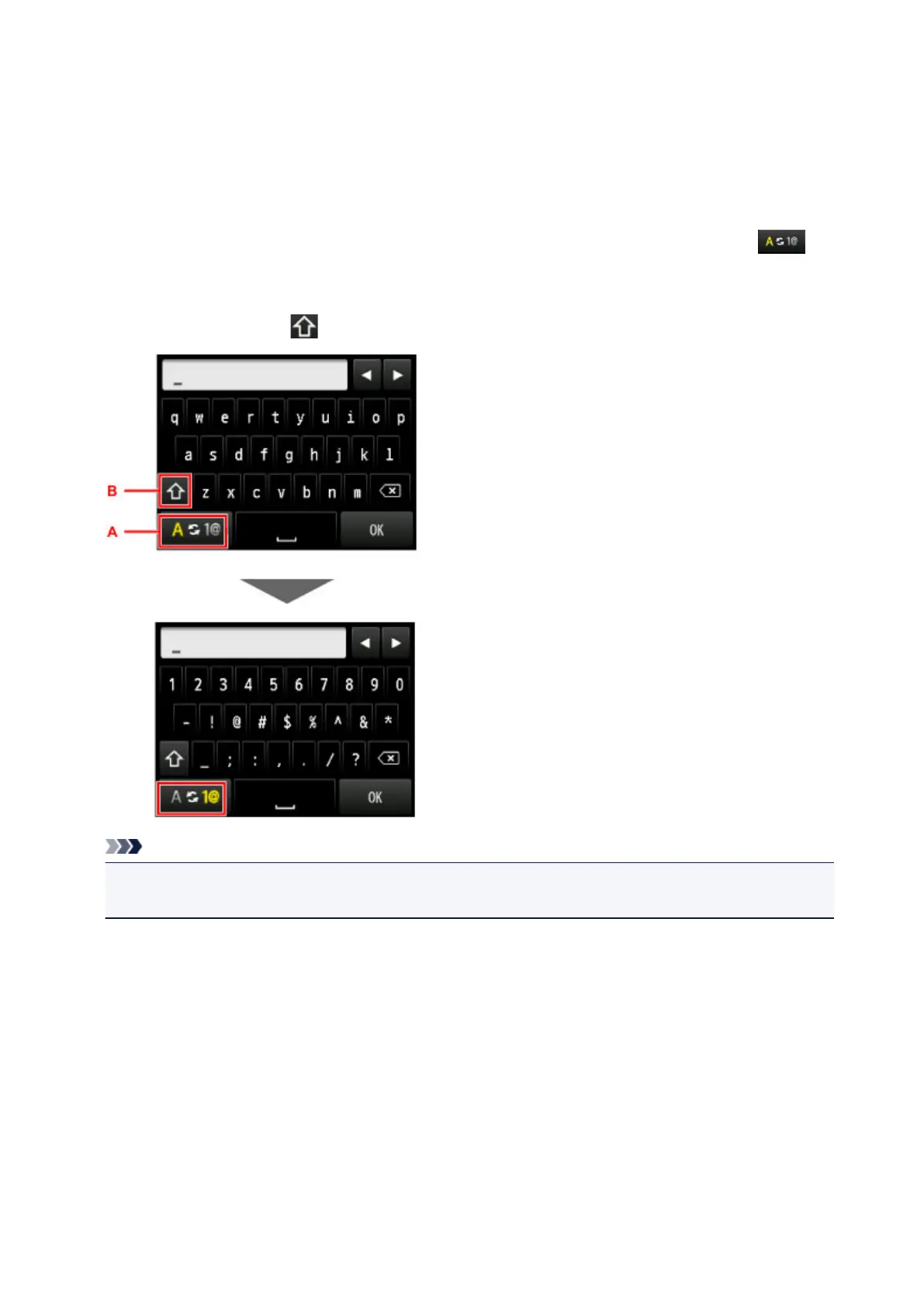
Switching the Input Mode
The machine has an alphabetic mode and number/symbol mode. To switch between them, tap (A)
at the bottom left.
To switch between lower and upper case modes in the alphabetic mode and the type of symbols in the
number/symbol mode, tap (B).
Note
• For unit telephone number entry or fax/telephone number entry in the directory, only the numbers and
symbols available for that type of entry are displayed on the screen.
157













 To Next Page