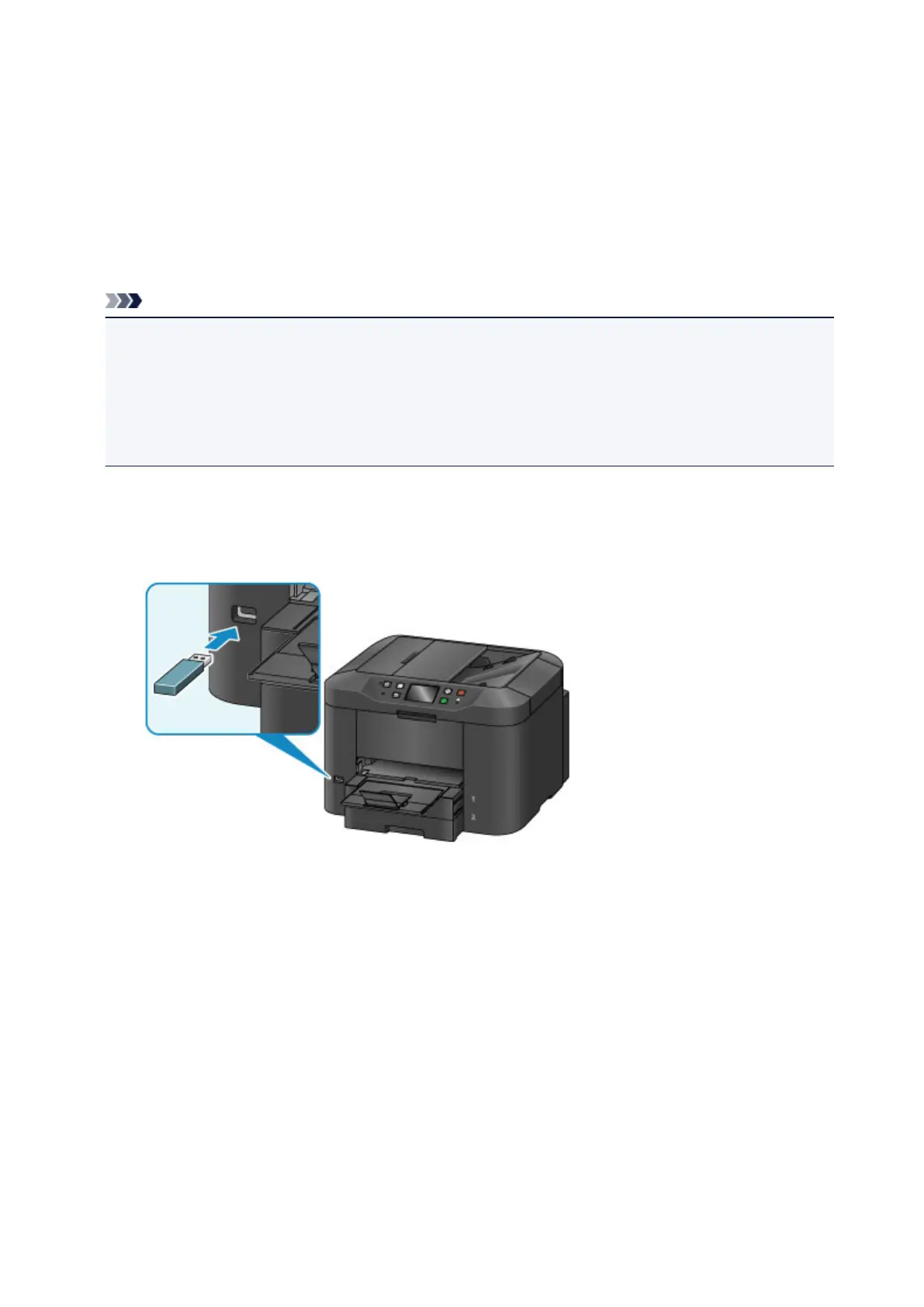
Inserting the USB Flash Drive
Printable Image Data
• This machine accepts images taken with a camera compliant with the Design rule for Camera File
system (Exif 2.2/2.21/2.3 compliant), TIFF (Exif 2.2/2.21/2.3 compliant). Other image or movie types
such as RAW images cannot be printed.
• The machine accepts images scanned and saved with the machine when Doc.type is set to Photo
and Format is set to JPEG (file extension ".jpg").
Note
• This device incorporates exFAT technology licensed from Microsoft.
• If your USB flash drive cannot be inserted into the USB flash drive port of the machine, you may be
required to use an extension cable for the USB flash drive. Purchase it at electronics retail stores.
• Some USB flash drives may have recognition problem, and these devices may not guarantee proper
operation of the machine.
• You may not be able to use USB flash drives with security function.
1.
Insert the USB flash drive into the USB flash drive port.
Make sure that the USB flash drive is correctly oriented before inserting it straightforward into the USB
flash drive port.
191













 To Next Page