What Is ScanGear (Scanner Driver)?
ScanGear (scanner driver) is software required for scanning documents. It enables you to specify the output
size and make image corrections when scanning.
ScanGear can be started from IJ Scan Utility or applications that are compatible with a standard interface
called TWAIN. (ScanGear is a TWAIN-compatible driver.)
What You Can Do with This Software
This software enables you to preview scan results or set document type and output size, etc. when
scanning documents. It is useful when you want to scan in a specific color tone, as it allows you to make
various corrections and adjust brightness, contrast, etc.
Screens
There are two modes: Basic Mode and Advanced Mode.
Switch modes by clicking a tab on the upper right of the screen.
Note
• ScanGear starts in the last used mode.
• Settings are not retained when you switch modes.
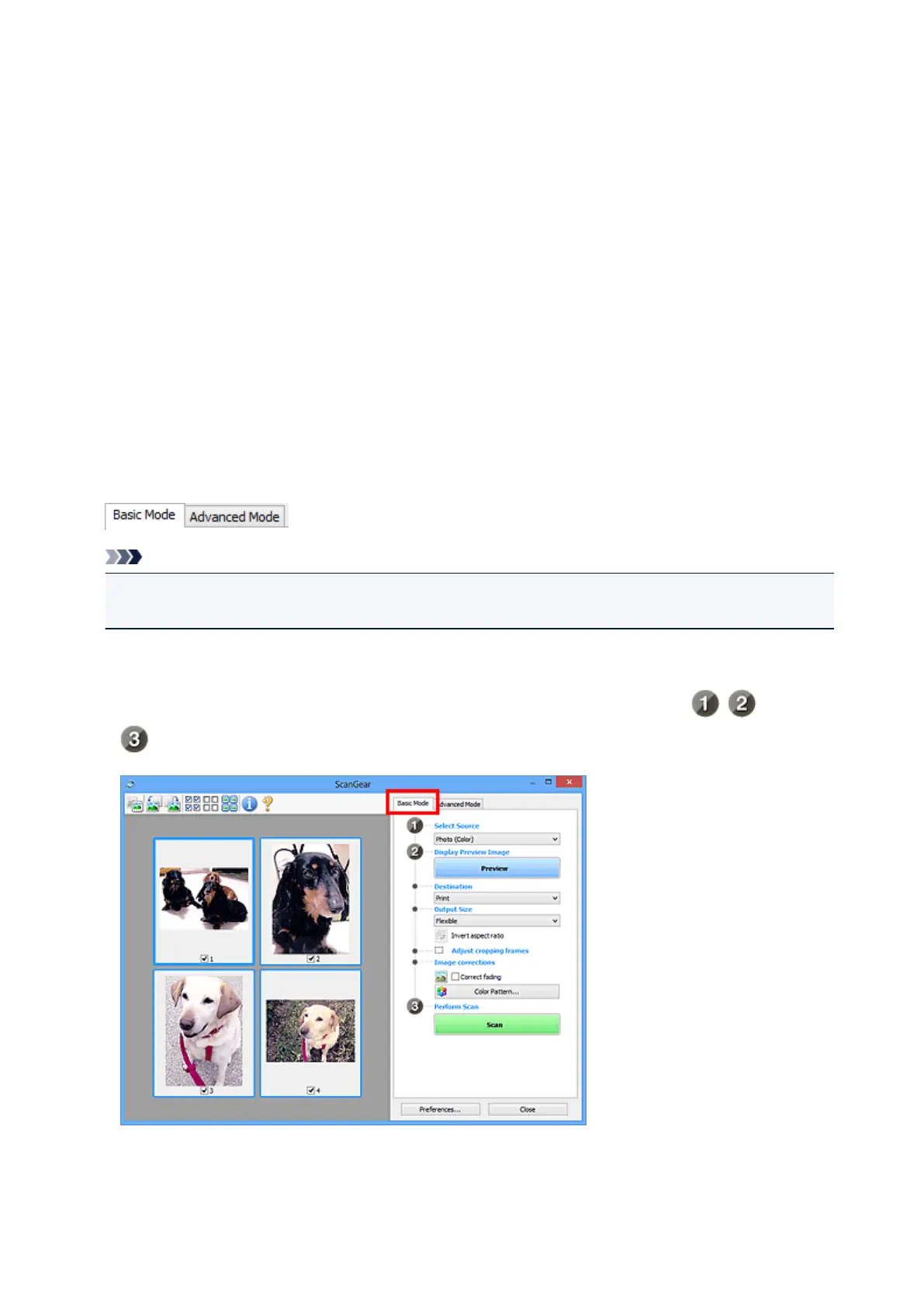
Basic Mode
Use the Basic Mode tab to scan easily by following three simple on-screen steps ( , , and
).
652













 To Next Page