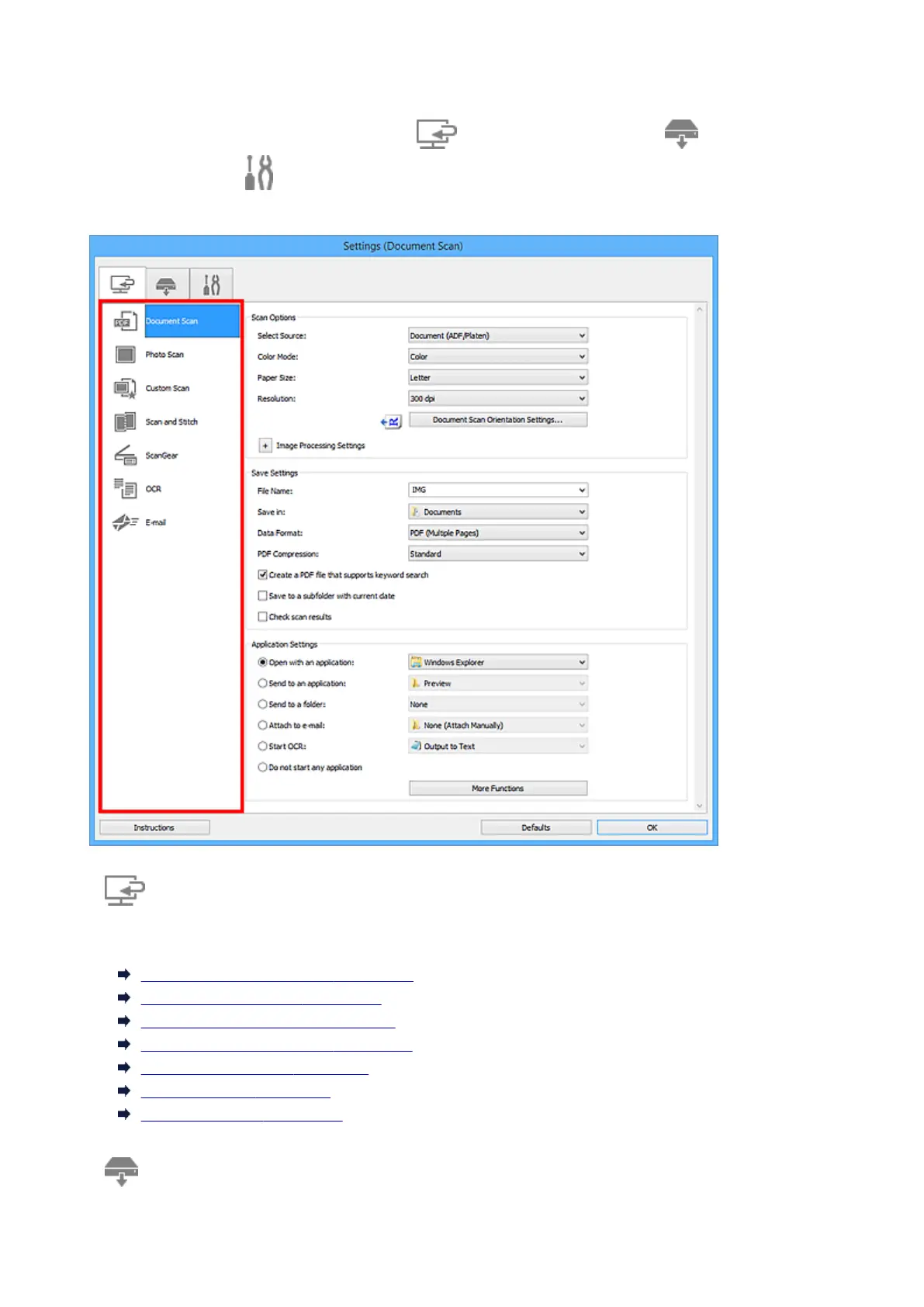
Settings Dialog Box
There are three tabs in the Settings dialog box: (Scanning from a Computer), (Scanning from the
Operation Panel), and (General Settings). When you click a tab, the view in the red frame switches and
you can make advanced settings to functions on each tab.
(Scanning from a Computer) Tab
You can specify how to respond when scanning from IJ Scan Utility.
Settings (Document Scan) Dialog Box
Settings (Photo Scan) Dialog Box
Settings (Custom Scan) Dialog Box
Settings (Scan and Stitch) Dialog Box
Settings (ScanGear) Dialog Box
Settings (OCR) Dialog Box
Settings (E-mail) Dialog Box
(Scanning from the Operation Panel) Tab
You can specify how to respond when scanning from the operation panel.
593













 To Next Page