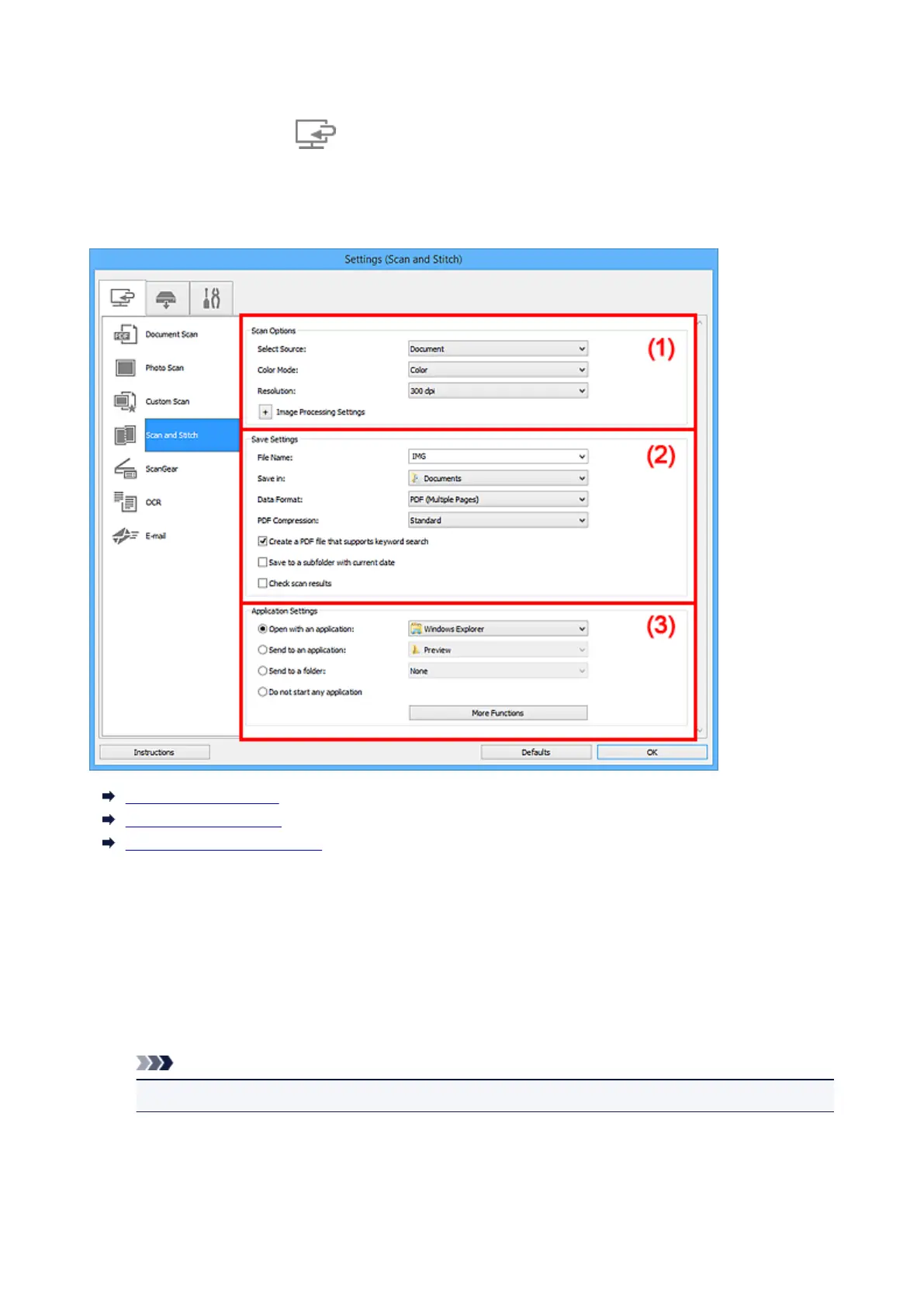
Settings (Scan and Stitch) Dialog Box
Click Scan and Stitch on the (Scanning from a Computer) tab to display the Settings (Scan and
Stitch) dialog box.
In the Settings (Scan and Stitch) dialog box, you can make advanced scan settings for scanning items
larger than the platen.
(1) Scan Options Area
(2) Save Settings Area
(3) Application Settings Area
(1) Scan Options Area
Select Source
Select the type of item to be scanned.
• Scanning photos: Photo
• Scanning documents: Document
• Scanning magazines: Magazine
Note
• To reduce moire, set Select Source to Magazine.
Color Mode
Select the color mode in which to scan the item.
Resolution
Select the resolution of the item to be scanned.
612












 To Next Page