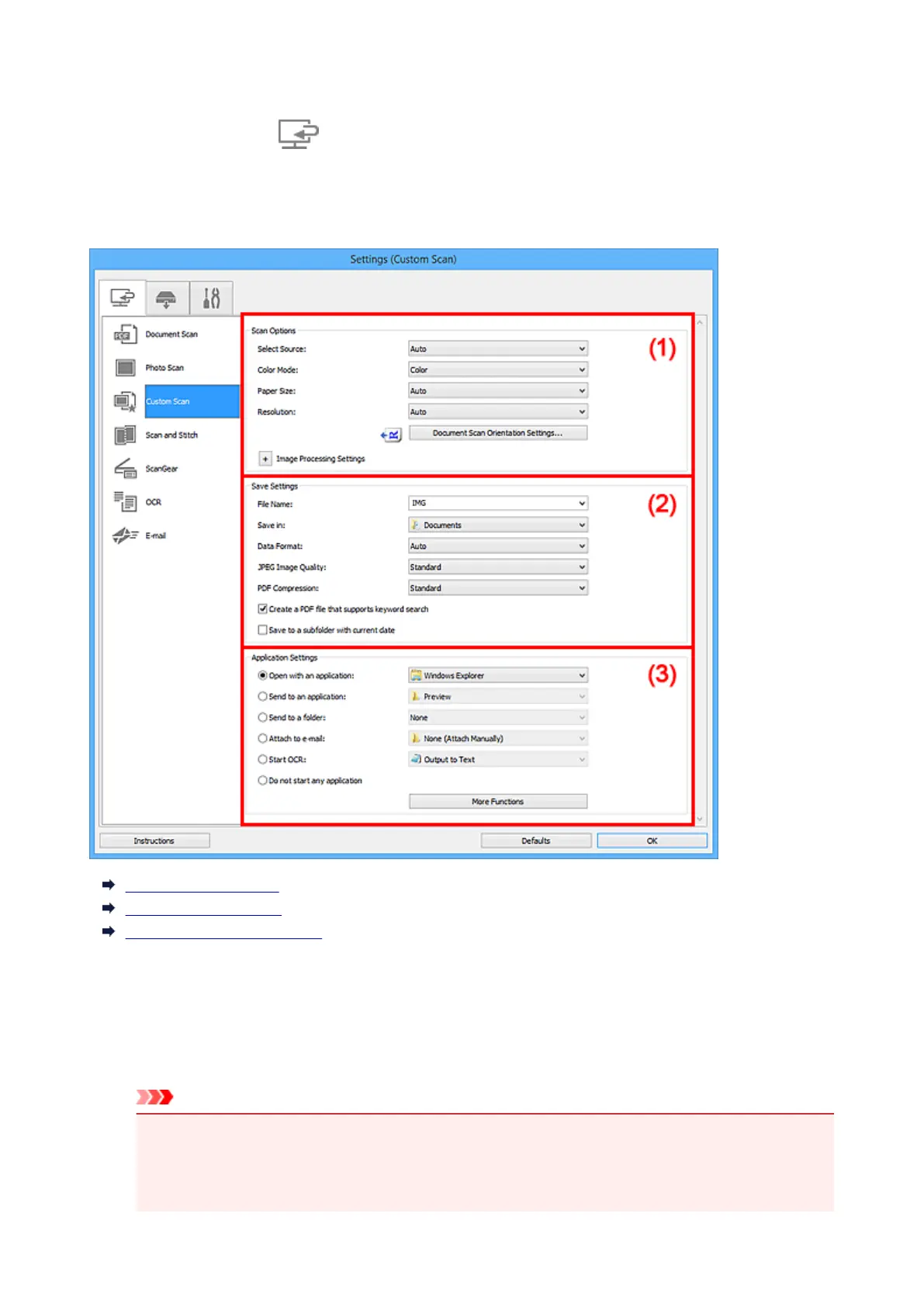
Settings (Custom Scan) Dialog Box
Click Custom Scan on the (Scanning from a Computer) tab to display the Settings (Custom Scan)
dialog box.
In the Settings (Custom Scan) dialog box, you can make advanced scan settings to scan according to your
preference.
(1) Scan Options Area
(2) Save Settings Area
(3) Application Settings Area
(1) Scan Options Area
Select Source
Select the type of item to be scanned. Select Auto to detect the item type automatically and to set
Color Mode, Paper Size, and Resolution automatically as well.
Important
• Item types supported by Auto are photos, postcards, business cards, magazines, newspapers,
documents, and BD/DVD/CD.
• To scan the following types of items, specify the item type or size. You cannot scan correctly with
Auto.
605




 To Next Page