5100
Cause
Printer error has occurred.
Action
Cancel printing and turn off the machine.
Then confirm the following.
• Confirm that there are no materials (e.g. the protective material or jammed paper) that is preventing
the print head holder from moving.
If any, remove the materials.
• Confirm that the ink tanks are installed properly.
Push an ink tank until it clicks into place.
After confirming the conditions above, turn on the machine again.
If the problem is not resolved, contact the service center.
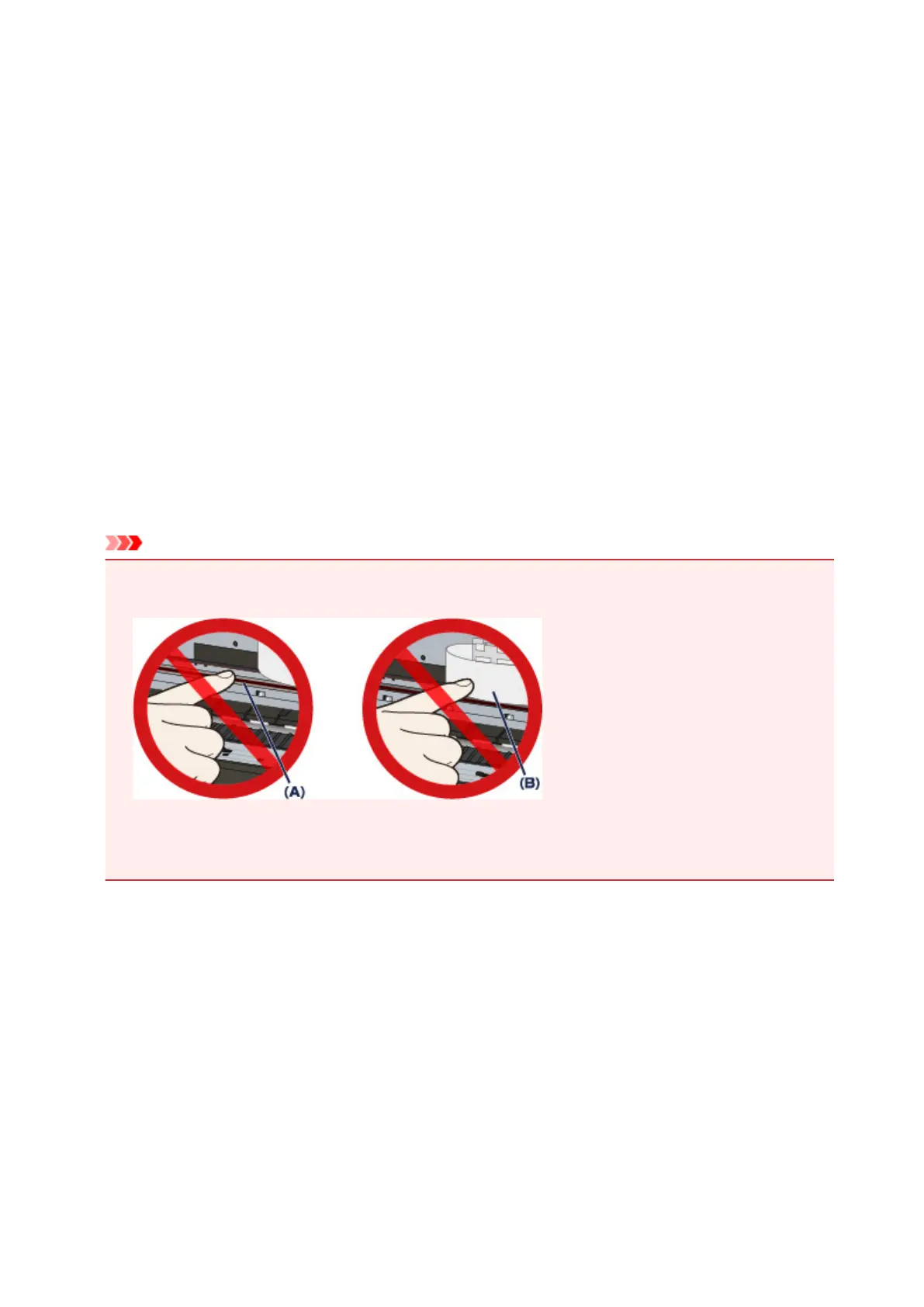
Important
• When you clear the jammed paper or protective material that is preventing the print head holder from
moving, be careful not to touch the clear film (A) or the white belt (B).
If the paper or your hands touch these parts and blot or scratch them, the machine can be damaged.
• If you unplug the power cord, all the faxes stored in the machine's memory are deleted.
1091












 To Next Page