Note
• This item has the same function as Refresh in the View menu.
3. Configuration...
Click to configure settings of the selected printer.
Configuration Screen
Note
• You cannot configure a printer that has the status Not Found.
•
This item has the same function as Configuration... in the Settings menu.
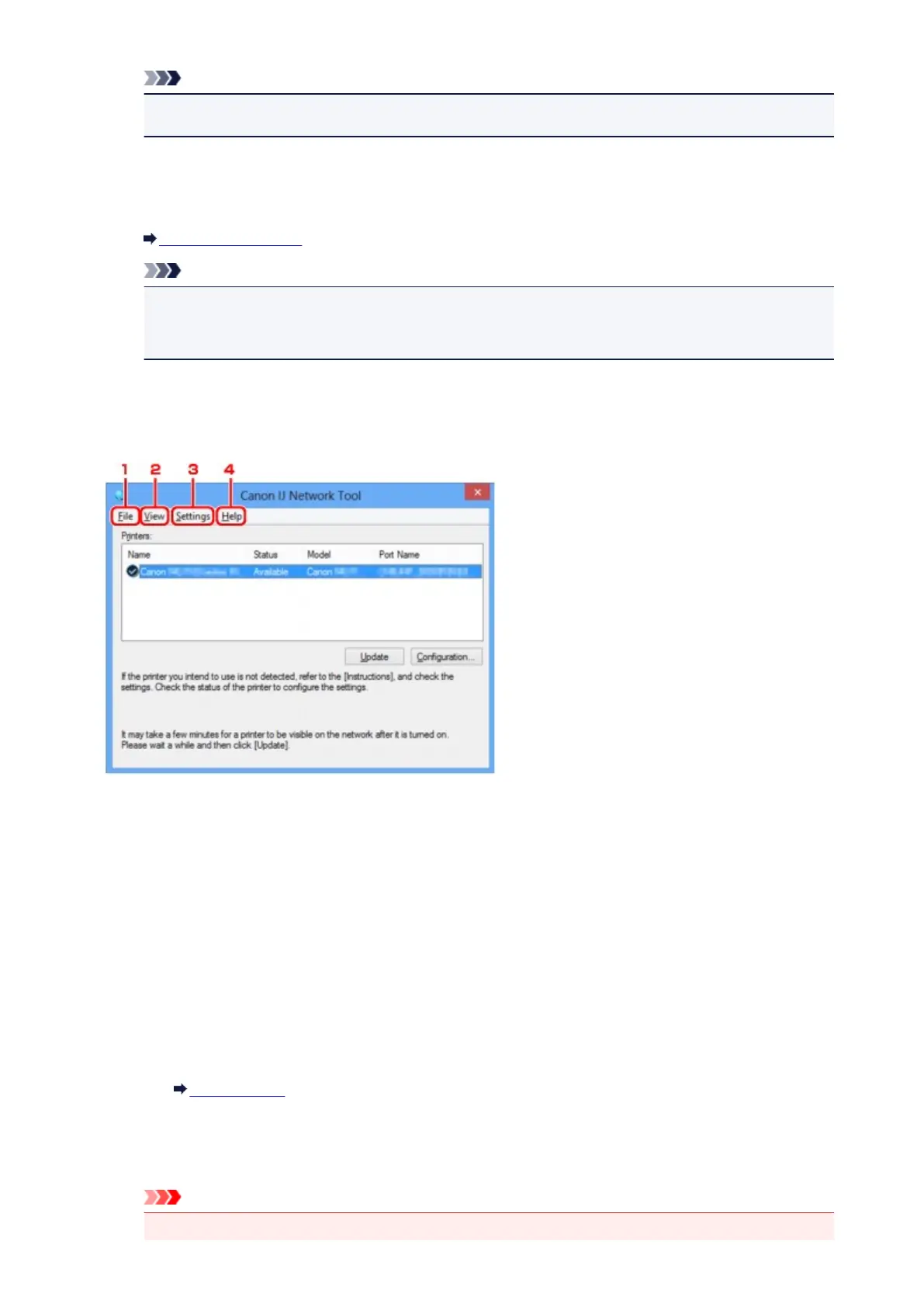
Canon IJ Network Tool Menus
The following menu is displayed from the Canon IJ Network Tool screen.
1.
File menu
Exit
Exits IJ Network Tool.
2. View menu
Status
Displays the Status screen to confirm the printer connection status and wireless communication
status.
In the access point mode, this item is grayed out and you cannot confirm the printer connection
status.
Status Screen
Refresh
Updates and displays the contents of Printers: on the Canon IJ Network Tool screen to the
latest information.
Important
•
To change the printer's network settings using IJ Network Tool, it must be connected via a LAN.
335













 To Next Page