Viewing details of a certificate
You can check the details of the certificate or verify the certificate by clicking the corresponding text link under [Key Name], or
the certificate icon.
Verifying Key Pairs and Digital Certificates
Enable TLS for the Remote UI.
1
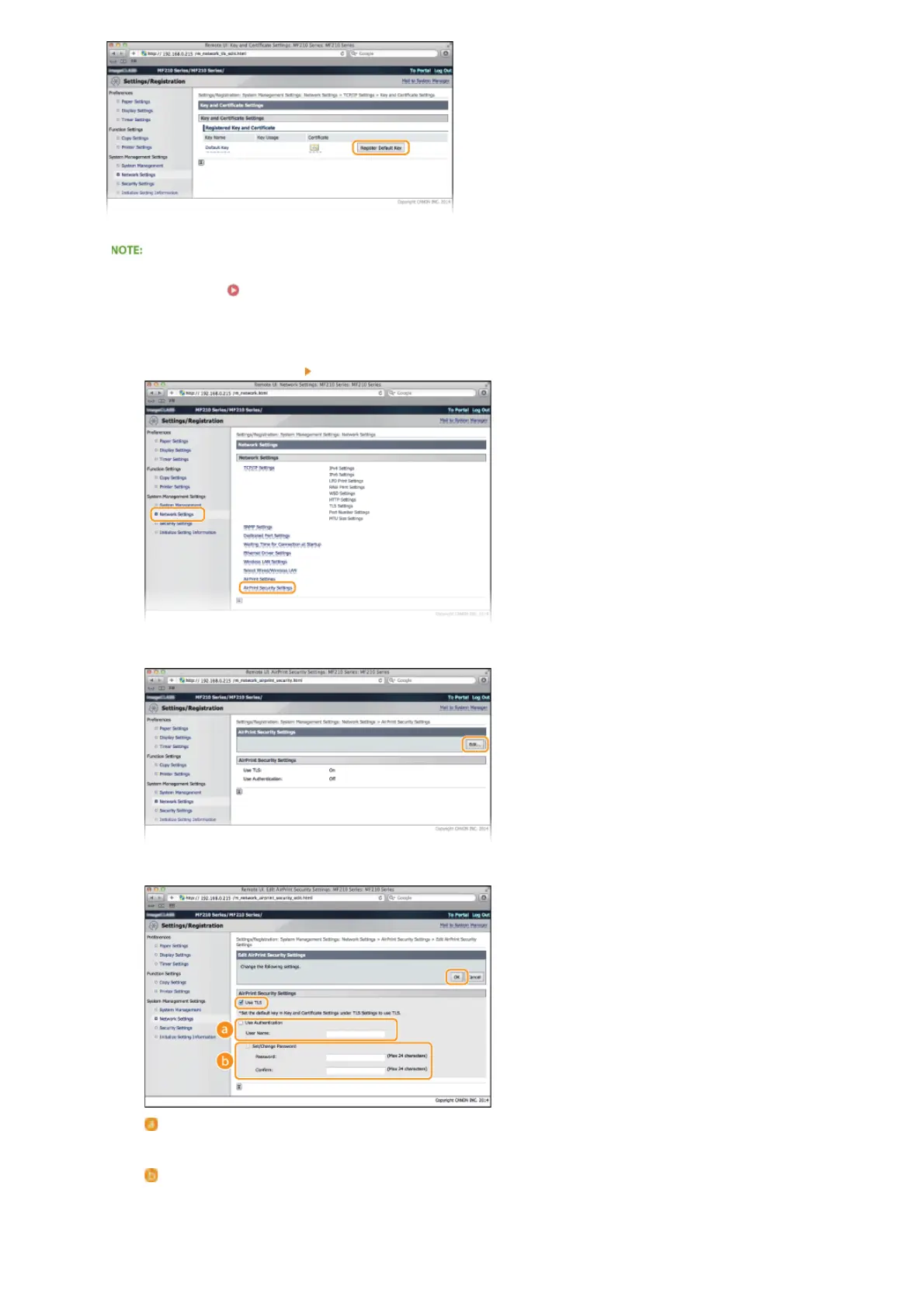
Click [Network Settings] [AirPrint Security Settings].
2
Click [Edit...].
3
Select the [Use TLS] check box, set required items, and then click [OK].
[Use Authentication]
When using AirPrint, you can use authentication. To use authentication, select the check box and then specify a [User
Name].
[Set/Change Password]
Specify a password to use for authentication. To specify a password, select the check box and then specify the password
in [Password] and [Confirm].
6
㻝㻜㻜㻌㻛㻌㻟㻟㻢








 To Next Page