0L40-0A9
Setting a Proxy
A proxy (or HTTP proxy server) refers to a computer or software that carries out HTTP communication for other devices, especially when
communicating with resources outside the network, such as when browsing Web sites. The client devices connect to the outside network
through the proxy server, and do not communicate directly to the resources outside. Setting a proxy not only facilitates management of
traffic between in-house and outside networks but also blocks unauthorized access and consolidates anti-virus protection for enhanced
security. When setting a proxy, make sure that you have the necessary proxy information, including the IP address, port number, and a
user name and password for authentication.
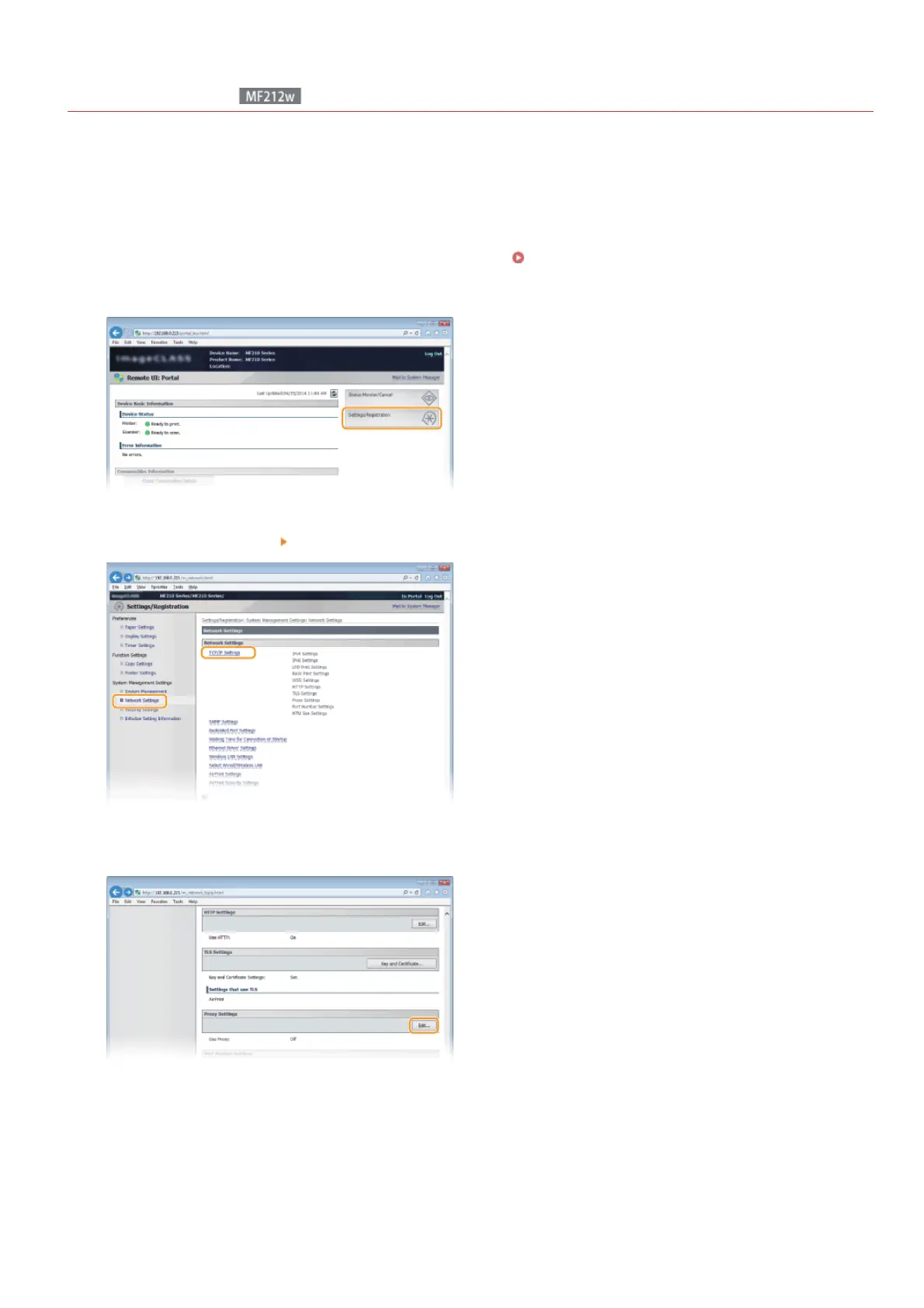
Start the Remote UI and log on in System Manager Mode. Starting Remote UI
Click [Settings/Registration].
Click [Network Settings] [TCP/IP Settings].
Click [Edit...] in [Proxy Settings].
Select the [Use Proxy] check box and specify the required settings.
1
2
3
4
5
㻞㻜㻠㻌㻛㻌㻟㻟㻢








 To Next Page