0L40-04A
Generating Key Pairs
A key pair can be generated with the machine when it is required for encrypted communication via Transport Layer Security (TLS). You
can use TLS when accessing the machine from an Apple device in order to use AirPrint. Up to three key pairs can be registered to the
machine.
Generate Network Communication Key Generate Key and Certificate Signing Request (CSR)
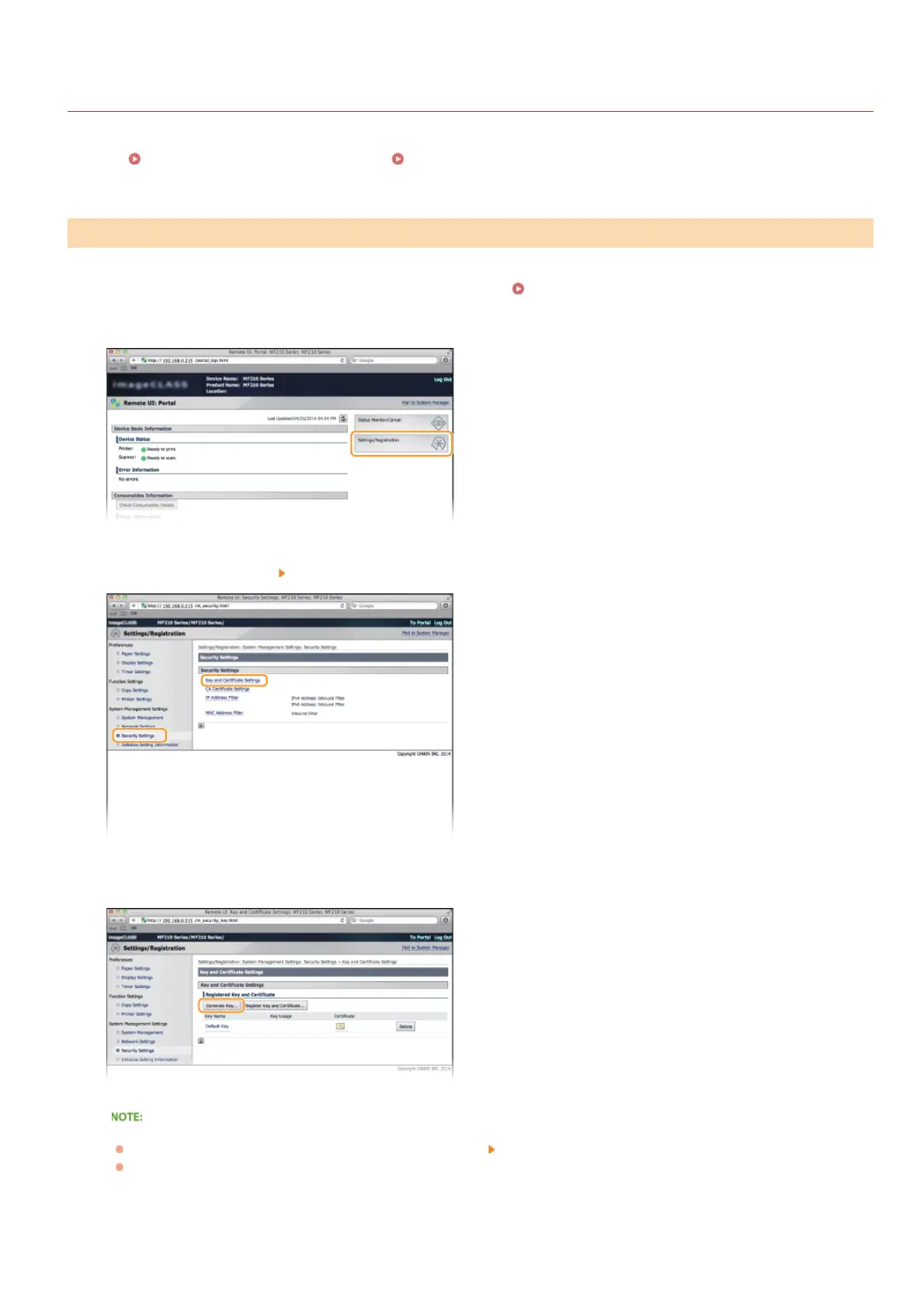
Start the Remote UI and log on in System Manager Mode. Starting Remote UI
Click [Settings/Registration].
Click [Security Settings] [Key and Certificate Settings].
Click [Generate Key...].
Deleting a registered key pair
Click [Delete] on the right of the key pair you want to delete
click [OK].
"TLS" is displayed for a currently used key pair, and the key pair cannot be deleted. In this case, disable the function or
replace the key pair before deleting it.
Select [Network Communication] and click [OK].
Generate Network Communication Key
1
2
3
4
5
㻝㻜㻟㻌㻛㻌㻟㻟㻢








 To Next Page