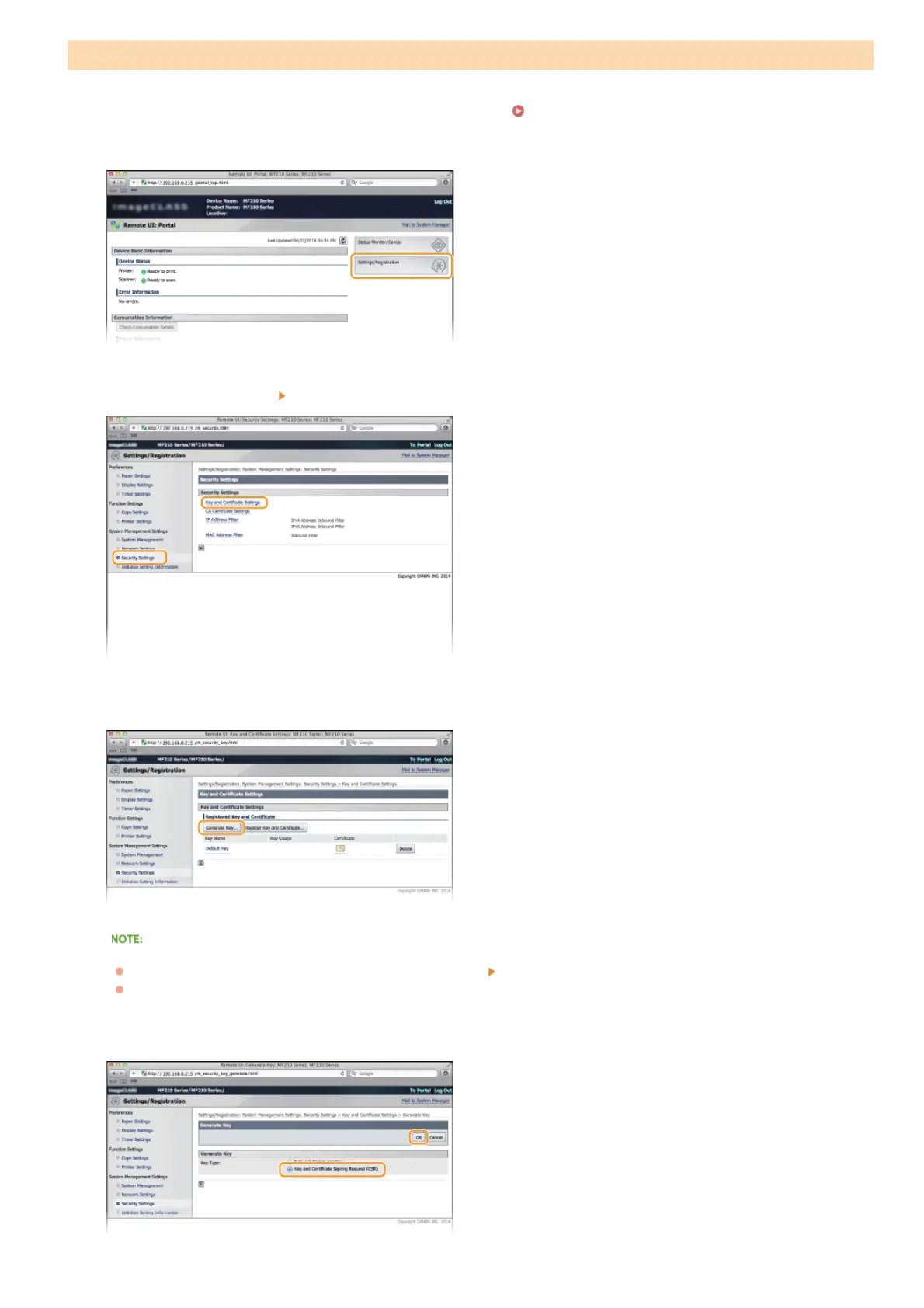
Start the Remote UI and log on in System Manager Mode. Starting Remote UI
Click [Settings/Registration].
Click [Security Settings] [Key and Certificate Settings].
Click [Generate Key...].
Deleting a registered key pair
Click [Delete] on the right of the key pair you want to delete
click [OK].
"TLS" is displayed for a currently used key pair, and the key pair cannot be deleted. In this case, disable the function or
replace the key pair before deleting it.
Select [Generate Key and Certificate Signing Request (CSR)] and click [OK].
Generate Key and Certificate Signing Request (CSR)
1
2
3
4
5
㻝㻜㻡㻌㻛㻌㻟㻟㻢





 To Next Page