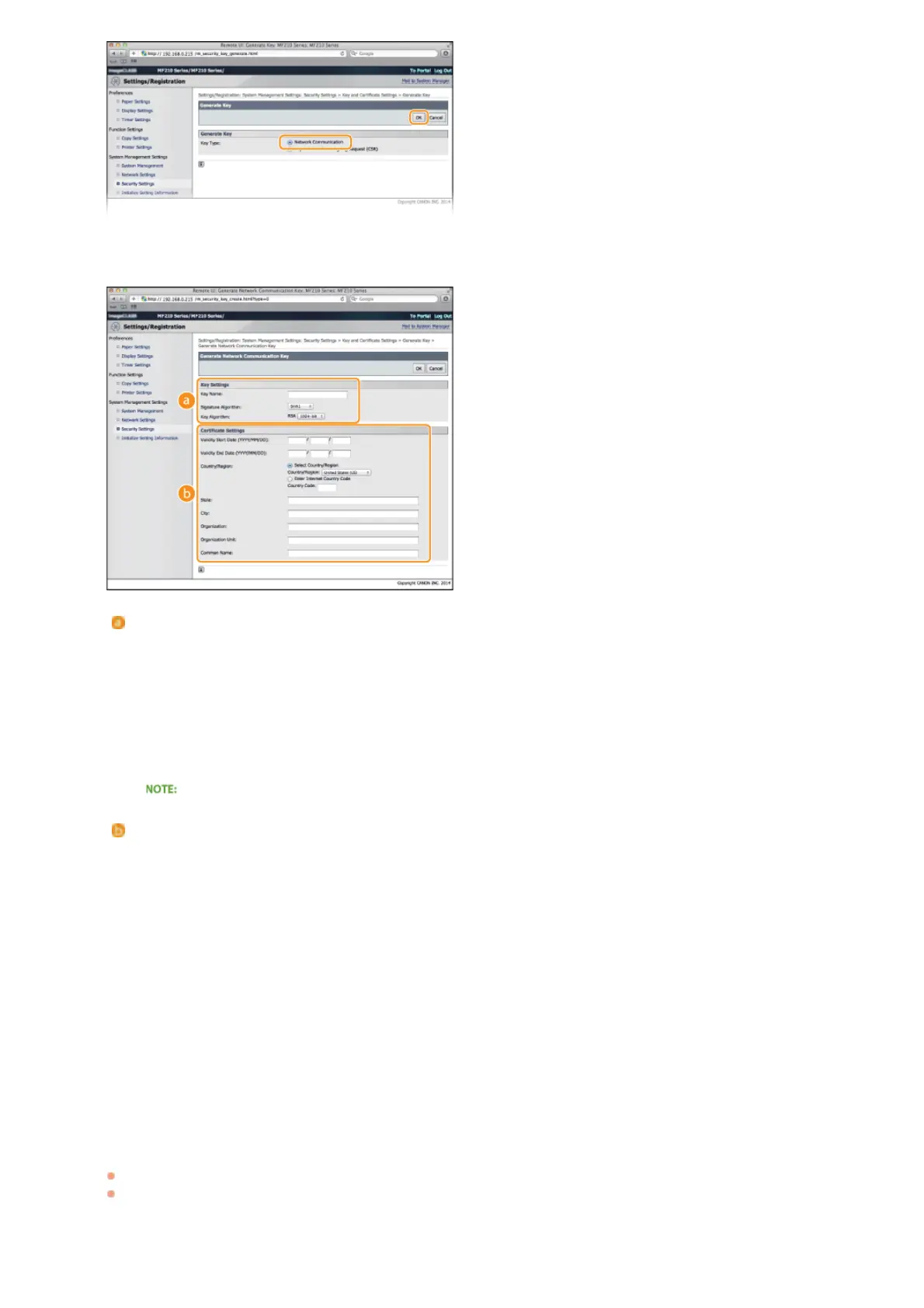
Specify settings for the key and certificate.
[Key Settings]
[Key Name]
Enter up to 24 alphanumeric characters for naming the key pair. Set a name that will be easy for you to find later in a list.
[Signature Algorithm]
Select the signature algorithm from the drop-down list.
[Key Algorithm]
RSA is used for generating a key pair. Select the key length from the drop-down list. The larger the number for the key
length, the slower the communication. However, the security is tighter.
[512-bit] cannot be selected for the key length, if [SHA384] or [SHA512] is selected for [Signature Algorithm].
[Certificate Settings]
[Validity Start Date (YYYY/MM/DD)]
Enter the date from which the certificate is valid between 01/01/2000 and 12/31/2099.
[Validity End Date (YYYY/MM/DD)]
Enter the date to which the certificate is valid between 01/01/2000 and 12/31/2099. A date earlier than [Validity Start Date
(YYYY/MM/DD)] cannot be set.
[Country/Region]
Click the [Select Country/Region] radio button and select the country/region from the drop-down list. You can also click the
[Enter Internet Country Code] radio button and enter a country code, such as "US" for the United States.
[State]/[City]
Enter up to 24 alphanumeric characters for the location as necessary.
[Organization]/[Organization Unit]
Enter up to 24 alphanumeric characters for the organization name as necessary.
[Common Name]
Enter up to 48 alphanumeric characters for the common name of the certificate as necessary. "Common Name" is often
abbreviated as "CN."
Click [OK].
Keys for network communication may take approximately 10 to 15 minutes to generate.
After a key pair is generated, it is automatically registered to the machine.
6
7
㻝㻜㻠㻌㻛㻌㻟㻟㻢








 To Next Page