0L40-01C
Canceling Copies
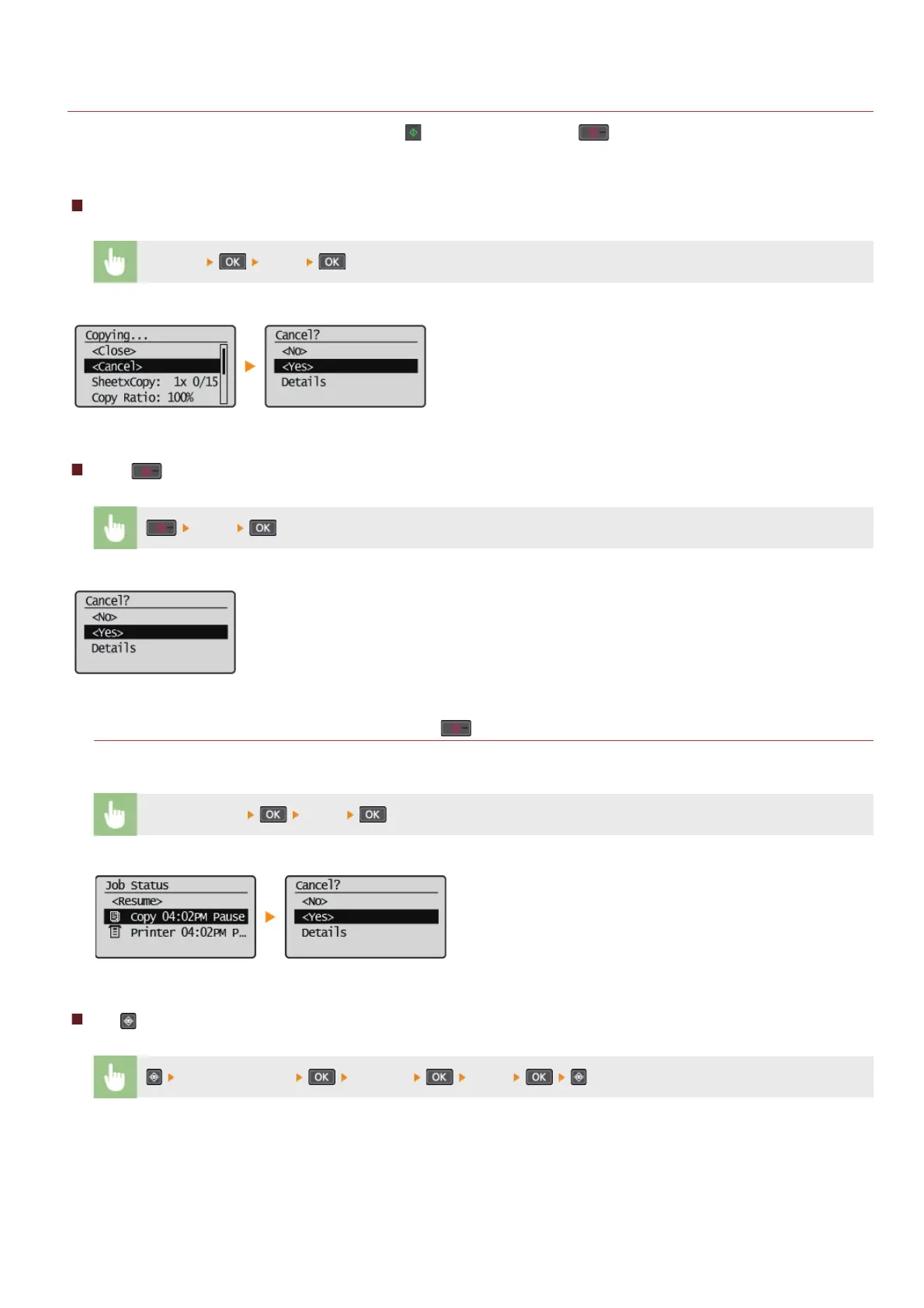
If you want to cancel copying immediately after pressing , select <Cancel> or press on the operation panel. You can also cancel
copying after checking the copy status.
Canceling in the Screen That is Displayed While Copying
<Cancel> <Yes>
Press to Cancel
<Yes>
If the Screen Displays a List of Documents When is Pressed
Documents have been scanned and are waiting to be printed. Select the copy document to cancel.
Select cancel job
<Yes>
Use to Cancel
<Copy Job Status> <Cancel> <Yes>
㻡㻢㻌㻛㻌㻟㻟㻢








 To Next Page