0L40-011
Registering a Custom Paper Size
You can register one frequently used custom paper size each for the paper drawer and manual feed slot.
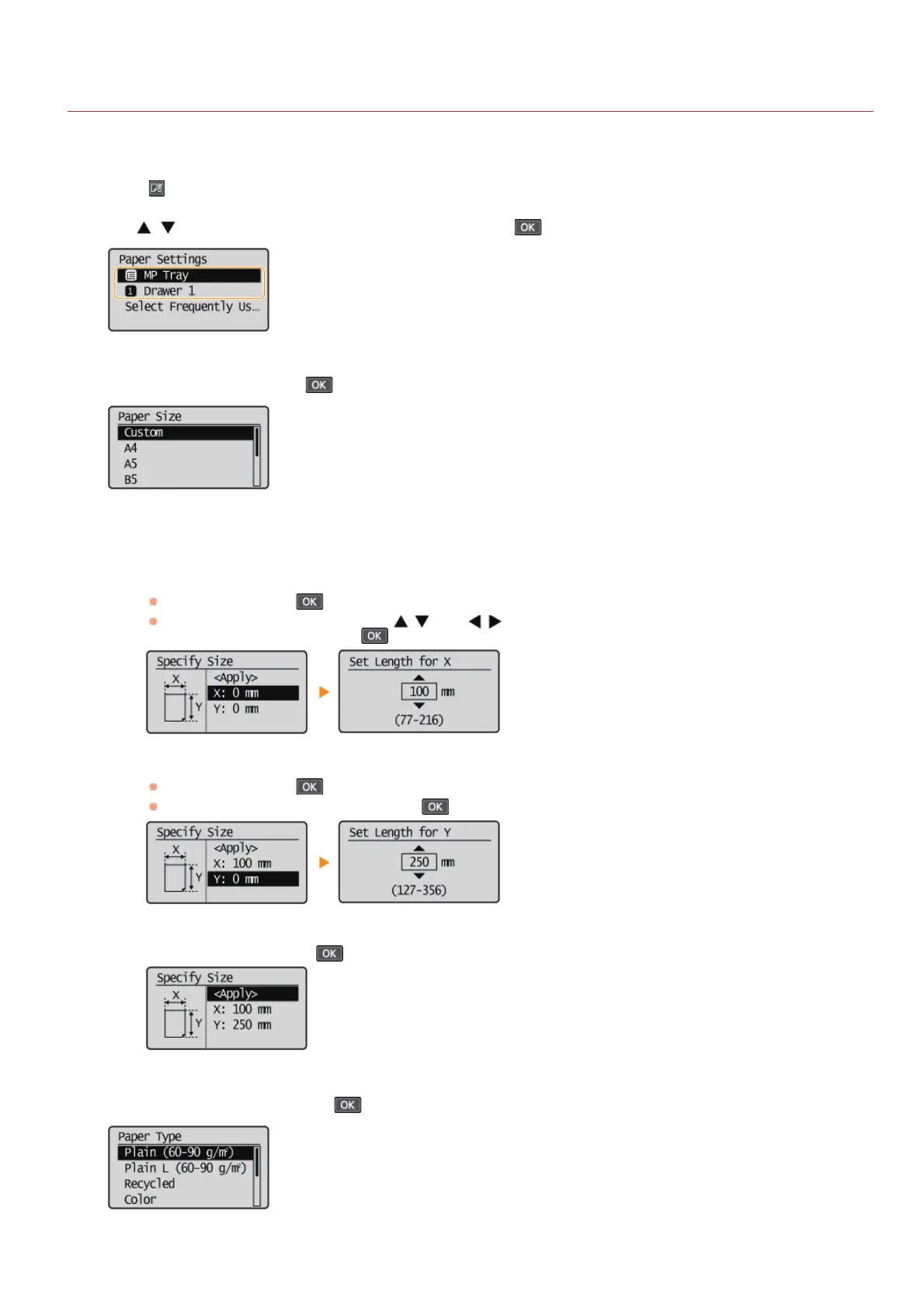
Press (Paper Setting).
Use / to select <MP Tray> or <Drawer 1>, and press .
Select <Custom>, and press .
Specify the paper size.
1
Specify the length of the <X> (shorter) side.
Select <X>, and press
.
Input the length of the <X> side using
/ , with / to move the cursor between the digits for inputting whole
numbers and fractions, and press
.
2
Specify the length of the <Y> (longer) side.
Select <Y>, and press
.
Input the length of the <Y> side, and press
.
3
Select <Apply>, and press .
Select the paper type, and press .
1
2
3
4
5
㻠㻣㻌㻛㻌㻟㻟㻢








 To Next Page