0L40-03H
Checking the Printing Status
You can check the current print statuses.
Useful in the Following Cases
When your documents are not printed for a long time, you may want to see the waiting list of the documents waiting to be
printed.
When you cannot find your printouts that you thought had been printed, you may want to see whether an error has occurred.
Press .
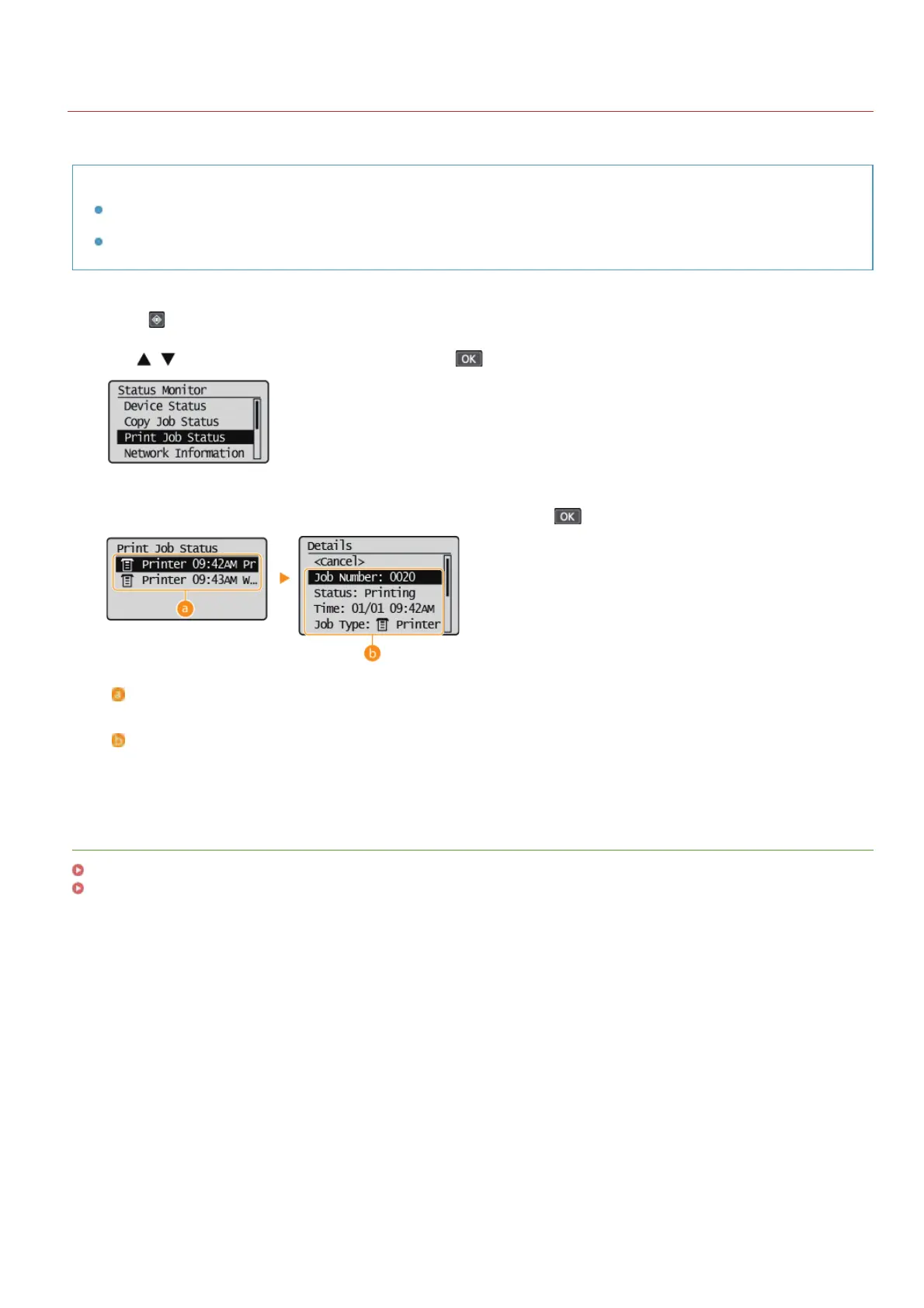
Use / to select <Print Job Status>, and press .
Select the document whose status you want to check, and press .
<Print Job Status>
Displays a list of the documents that are being processed or are waiting to be processed.
<Details>
Displays detailed information about the document selected from the list.
LINKS
Printing a Document
Canceling Prints
1
2
3
㻣㻠㻌㻛㻌㻟㻟㻢








 To Next Page