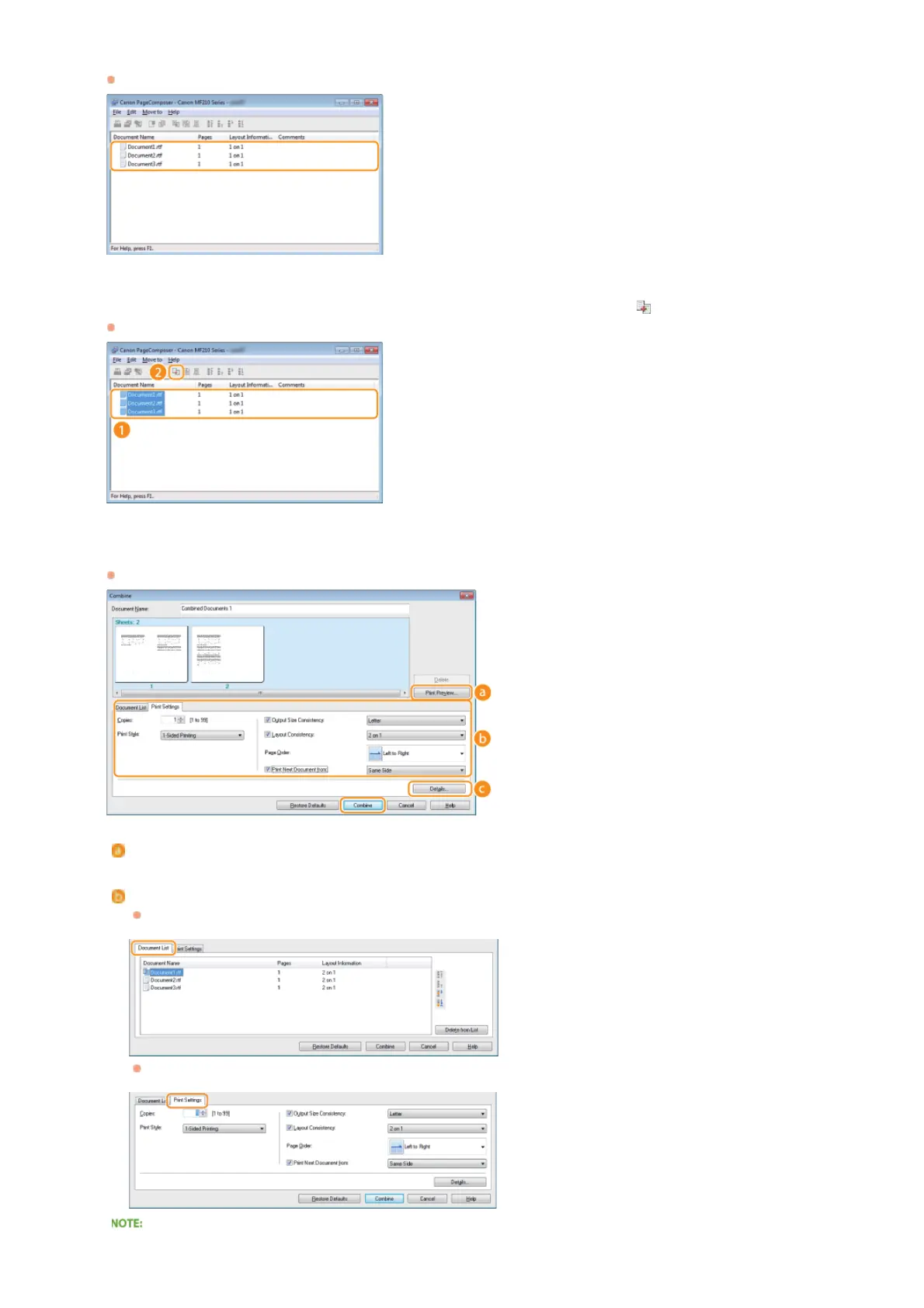
Repeat steps 1 to 4 for the documents you want to combine.
The documents are added to the Canon PageComposer.
From the [Document Name] list, select the documents to combine, and click .
To select multiple documents, click the documents while holding down [SHIFT] key or [CTRL] key.
Change the settings as necessary, and click [Combine].
The documents selected in step 6 are combined.
[Print Preview]
Displays a preview of the document to be printed.
[Document List]/[Print Settings]
Click the [Document List] tab to display the documents added in steps 1 to 4. You can remove documents by selecting them
in the list and clicking [Delete from List].
Click the [Print Settings] tab to display the screen for specifying print settings such as the number of copies. The settings
specified here are applied to the whole print job.
For more information, click [Help] on the Canon PageComposer screen.
5
6
7
㻤㻤㻌㻛㻌㻟㻟㻢








 To Next Page