13
Printing
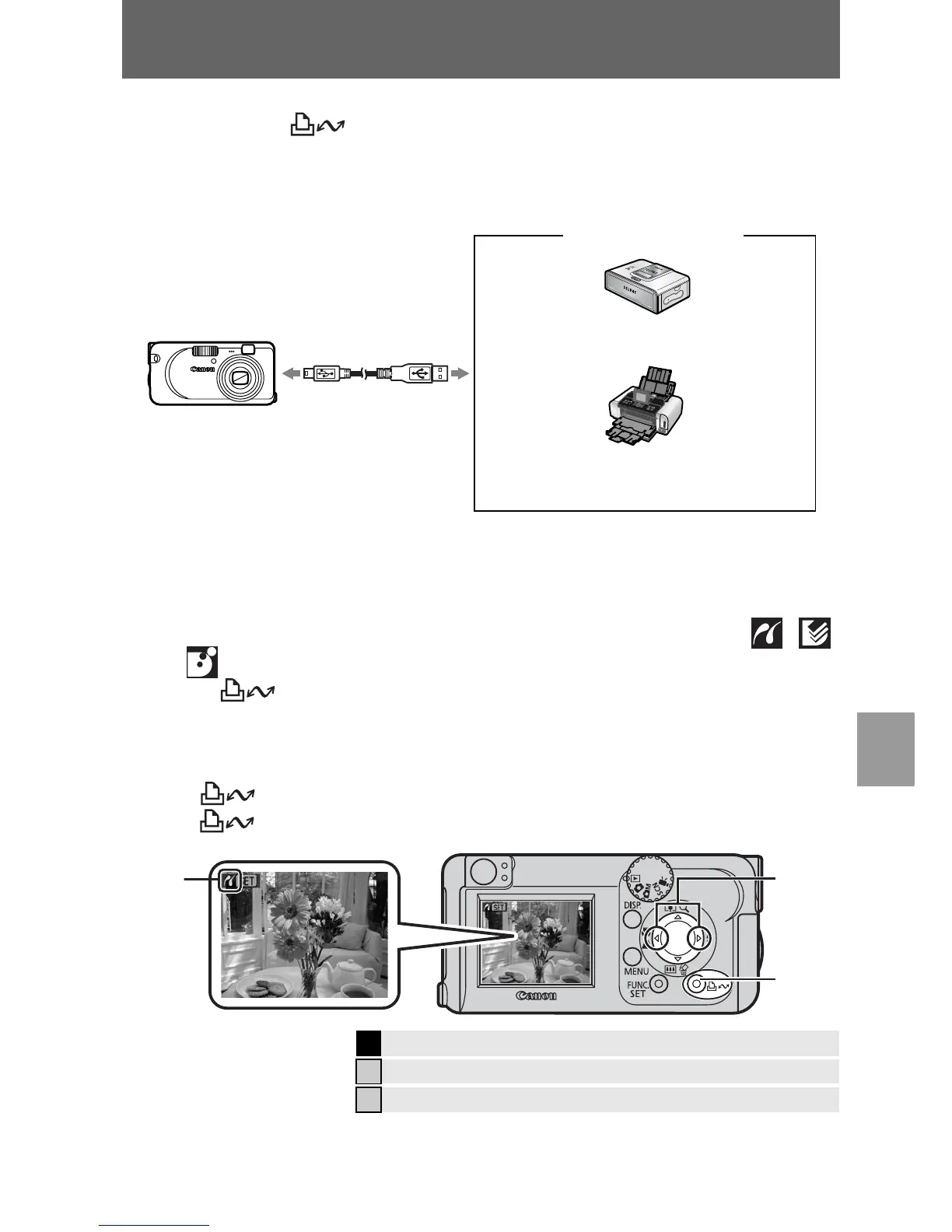
Connect the camera to a direct print compatible printer*
1
with a cable and
simply press the button.
1 Connect the camera to a Canon Direct Print compatible
printer and turn on the printer's power.
*1 Since this camera uses a standard protocol (PictBridge), you can use it with other
PictBridge-compliant printers in addition to Canon-brand printers.
*2 You can also use card photo printers such as the CP-10/CP-100/CP-200/CP-300.
2 Power on the camera in Playback mode. Confirm that ,
or is displayed in the upper left of the LCD monitor (a).
z The button lights blue.
z The displayed icon will vary according to the printer model.
3 Select an image to print with the W or X button (b) and press
the button (c).
The button will blink blue and printing will start.
Î
See the Advanced Guide: Setting the DPOF Print Settings (p. 66)
Î
See the Direct Print User Guide
Î
See the user guide for Your Printer
SELPHY CP Series Compact
Photo Printers*
2
PIXMA Series/SELPHY DS Series
Bubble Jet Printers
Interface Cable
Canon Brand Printers
Camera
c
b















 To Next Page