6
Windows
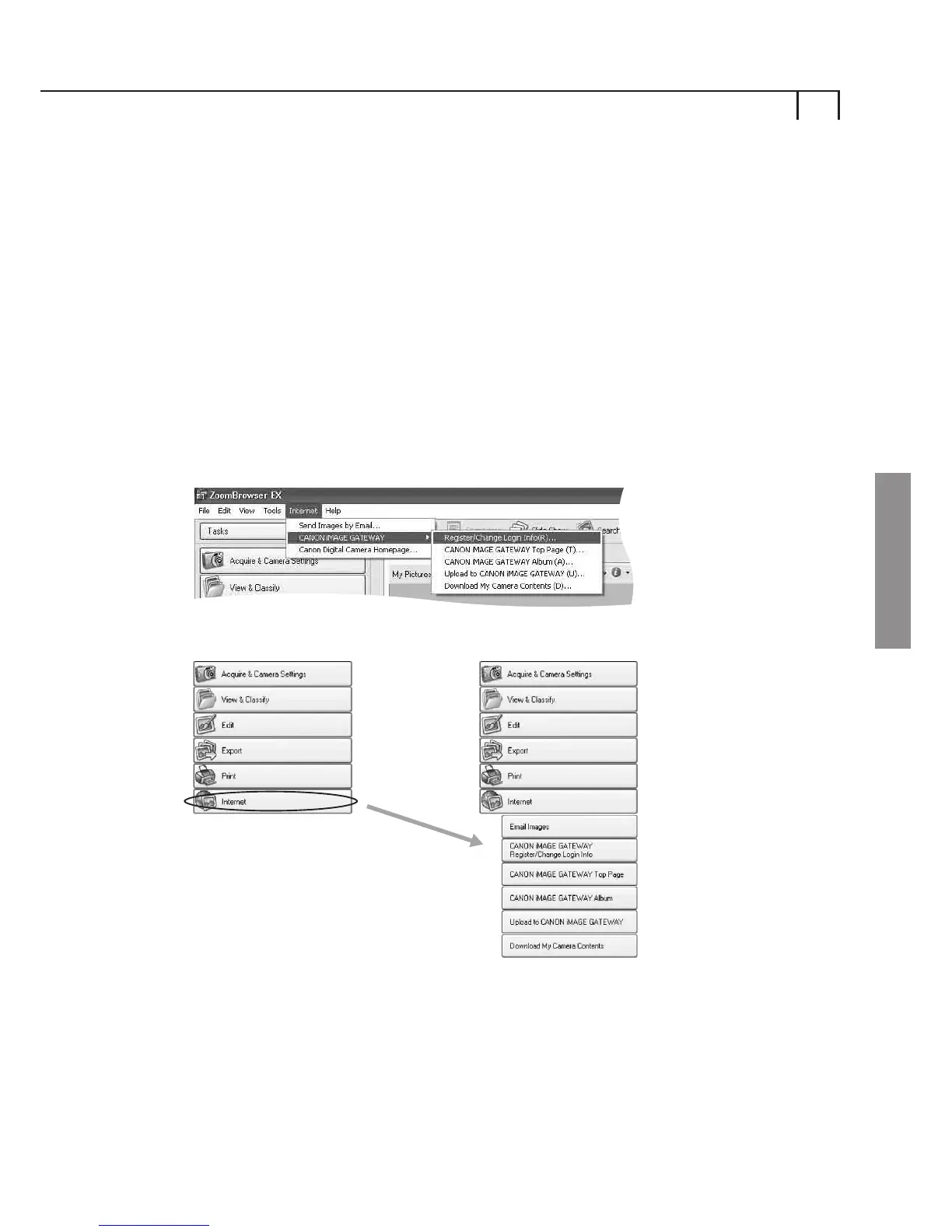
If you have selected No, I will Register later from the
software installation and would like to register for CANON
iMAGE GATEWAY, please follow the instructions below.
You can register via the CANON iMAGE GATEWAY menu
contained in the ZoomBrowser EX Internet task bar menu, or
by selecting the Internet button on the Task Area.
Click on CANON iMAGE GATEWAY Register/Change Login
Info from the Internet Task Area or by selecting from the
Internet toolbar menu.
Registering for CANON iMAGE
GATEWAY from ZoomBrowser EX
ZoomBrowser EX Toolbar Menu
Task Area
Internet Task Area
1
i)















 To Next Page