Printing Maintenance
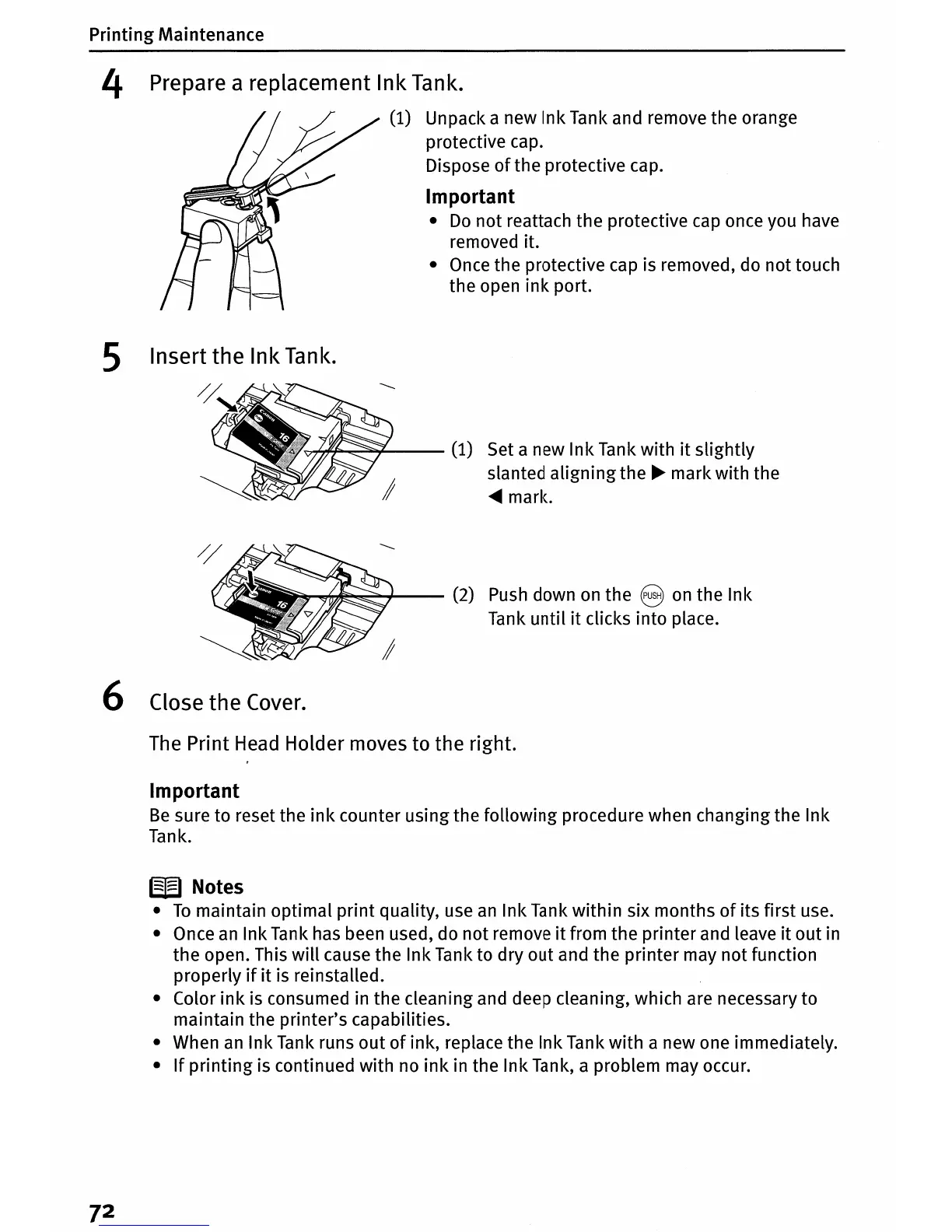
4 Prepare a replacement Ink Tank.
(1)
Unpack a new Ink Tank and remove the orange
protective cap.
Dispose
of
the protective cap.
Important
•
Do
not reattach the protective
cap
once you have
removed it.
•
Once
the protective cap is removed, do not touch
the open
ink
port.
5 Insert
the
Ink Tank.
'~fI!'-liii'-~¥---
(1)
Set a new Ink Tank with
it
slightly
slanted aligning the
~
mark with the
....
marie
~~~~--
(2)
Push
down
on
the 8
on
the Ink
Tank until
it
clicks into place.
6 Close
the
Cover.
The
Print
Head
Holder moves to the right.
Important
Be
sure to reset the
ink
counter using the following procedure when changing the Ink
Tank.
W Notes
•
To
maintain optimal print quality, use
an
Ink Tank within six months
of
its first use.
• Once
an
Ink Tank has been used, do not remove
it
from the printer and leave
it
out in
the open. This
will
cause the Ink Tank to dry out and the printer may not function
properly
if
it
is reinstalled.
• Color
ink
is consumed in the cleaning and deep cleaning, which are necessary to
maintain the printer's capabilities.
• When
an
Ink Tank runs
out
of
ink, replace the Ink Tank with a new one immediately.
•
If
printing
is continued with no
ink
in the Ink Tank, a problem may occur.
7
2















 To Next Page